RackNerd Alternatives Without IP-Reputation Problems in 2026
You find a very cheap yearly server. The deal looks good. Then something stops working the way you expected. For some people the problem is email: the mail bounces or goes to spam. For others the IP cannot be reached from China. For others the node feels slow after a few weeks, or there are no backups, or the location they picked has high latency. Most “RackNerd alternatives” pages treat all of these as the same complaint. They are not. This page starts with the most common surprise—the address you were given—and then shows the other practical reasons people actually leave.
We earn commissions when you shop through the links below. Deals and policies checked: October 2026. If the Host pages shows a different price, trust those page, as prices change over time and also varies during various sale seasons.
The main surprise: the port is open, the address may not be
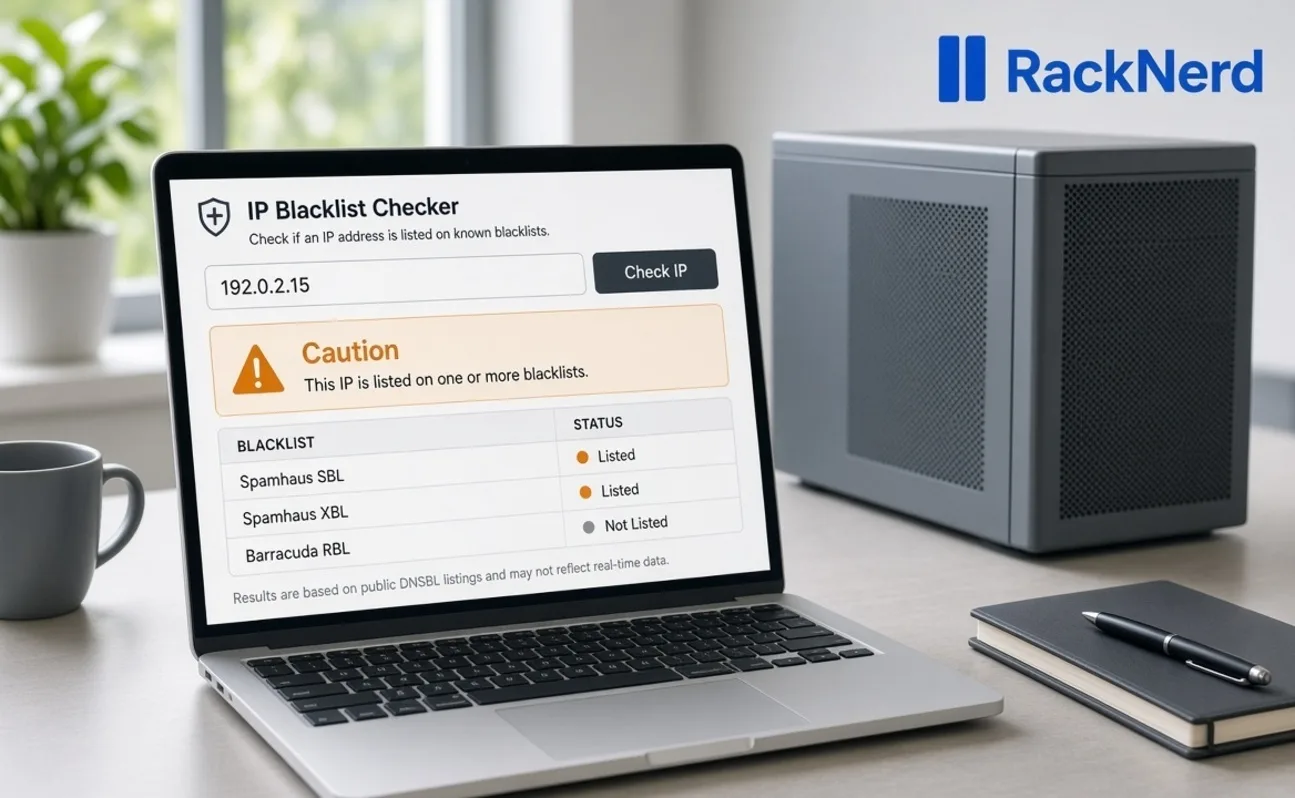
On RackNerd the outbound email port (port 25) is open by default on KVM servers. There is no published limit on how many messages one server can send. The problem is the address itself. These are shared ranges. The person who had the IP before you may have sent junk. When the new server is ready, the address can already be listed on Spamhaus or UCEPROTECT. That is why mail fails even though the port is open.
RackNerd will usually give you a different IP if you ask. The check is still your job before you set up mail. An abuse report can also get the address blocked later. One LowEndTalk thread describes that happening after a WordPress site on the server was compromised.
The very cheapest New Year deals near $11.29 a year for 1 GB are often sold out. An October 2026 specials page listed 1 core, 1 GB, 20 GB SSD, and 3 TB of traffic at $21.99 a year. That price repeats while the service stays active. Always check the live specials page.
Other real reasons people look for alternatives
The email-address problem is the one this page owns. It is not the only reason someone might want a different host. These are the other issues that show up often enough to matter:
- The IP cannot be reached from China. Many users report that a new address is blocked by the GFW. RackNerd allows a free self-service IP change within 72 hours of the order. After that it is $3. A second address can still be blocked. This is separate from email blocklists.
- The node feels slow. Disk and CPU depend on which physical machine you land on. Some nodes use older processors. LowEndTalk has anecdotes about slowdown after a month. Support will sometimes migrate the server. We have not run a two-node test this week. One test is not the fleet.
- You need backups or an API. The cheap VPS plans are unmanaged. There are no automatic snapshots or block storage. There is no full API for scripting. If those are requirements, the yearly price is the wrong product.
- You need a refund window. Many of the specials are prepaid annual deals with little or no refund after the short window. The low price is the trade-off.
- Latency depends on the location you pick. Los Angeles and San Jose are usually better for Asia than New York or Atlanta. Choosing the wrong city can make the same plan feel twice as slow. Use the looking-glass IPs before you order.
- Abuse handling can null-route the address. A compromised site or a DDoS attack can get the IP null-routed. Support is usually fast, but the address can still go offline while the issue is fixed.
None of these cancel the main email-address problem. They just mean the right exit depends on which problem you actually have.
What to do based on the problem you have
| Your situation | What to do |
|---|---|
| You need mail to work on day one | Check the IP before you install mail software. Ask for a swap if it is listed. Leave if the second IP is listed too. |
| The IP is blocked from China | Use the free change within 72 hours. If the second address is also blocked, a different host is usually cleaner. |
| You want mail in Europe and a signup check is fine | Netcup or Hetzner after the first bill. Those pages cover stock and the check. |
| You need a US box and mail is not the job | Stay. The yearly price is what you came for. |
| You want a cleaner US address and will pay more | CloudCone, VirMach, or GreenCloudVPS. Still sample the IP. |
| You need backups, an API, or hourly billing | A modern cloud (Hetzner, Vultr, DigitalOcean) is the better product. |
| Company mail that cannot bounce | A proper email service, not a $20 server. |
How to check the address you just received
Do these four things before you point real mail at the server.
- Paste the IP into MXToolbox. Look at Spamhaus and UCEPROTECT Level 1. Level 3 covers whole networks and usually does not stop normal mail.
- Open a support ticket and ask for reverse DNS. Give them the hostname you will use. There is no button for this in the panel.
- Add SPF, DKIM, and DMARC records. These tell other mail servers the mail is allowed to come from you.
- Send a few test messages only to addresses you control. Do not buy lists and do not use warmup farms.
If the first IP is listed, ask for a swap before you install the mail software. If the second IP is listed too, leave.
Email-safety comparison
The table below shows how the hosts treat the email port, reverse DNS, IP swaps, and starting yearly price. Any cell that says “snapshot” is only what people have reported. Always re-check the IP you actually receive.
| Host | Email port (25) | Reverse DNS | IP swap | Sampled blocklist | Yearly starting price |
|---|---|---|---|---|---|
| RackNerd | Open by default | Ticket | Yes (panel or ticket) | Shared ranges often already listed (re-check your IP) | $21.99 (1 core / 1 GB / 20 GB / 3 TB specials) |
| Netcup | Firewall can block it on new servers; you turn the rule off | Panel or support | Varies | Re-check your IP | See Netcup page |
| Hetzner | Blocked by default; ask after first invoice | Self-service | Varies | Re-check your IP | See Hetzner page |
| CloudCone | Usually open; confirm on your box | Panel | Ticket (sometimes paid) | Re-check your IP | From about $14–21 |
| VirMach | Depends on the plan | Varies | Ticket | Some ranges have been listed (re-check) | Higher monthly |
| GreenCloudVPS | Open by default (per support notes) | Panel on some locations | Ticket | Re-check your IP | About $72 ($6 a month) |
| OVH | Often open or easy to request | Panel | Yes | Re-check your IP | Higher |
Disk speed and CPU on these cheap plans depend on the node. Not tested this week.
Six hosts that people compare with RackNerd
Netcup
Netcup is a European host. It can be a good fit when you want mail in Europe and the cheap plan is in stock.
The red flag is that the newer firewall can block the email port by default. You have to remove that rule yourself. Stock and the traffic rule are covered on the Netcup alternatives page.
Choose it if you want EU mail, a lighter signup check is fine, and the order button works. Official site: netcup.com.
Hetzner
Hetzner is also European and often has cleaner ranges once the email port is opened. It also offers better tooling and snapshots on its cloud plans.
The red flag is that ports 25 and 465 are blocked by default. You can request them after the first paid invoice and about a month of account history. The passport or card check is explained on the Hetzner alternatives page.
Choose it if you can pass the check, you can wait for the invoice, and you want a server in Europe or more modern tooling. Official site: hetzner.com.
CloudCone
CloudCone offers yearly US deals and lets you set reverse DNS in the panel.
The red flag is that you still have to sample the IP. Some people report range problems or a paid swap. Support is by ticket.
Choose it if you want a US address that may be cleaner than the cheapest RackNerd node and you will check the IP first. Official site: cloudcone.com.
VirMach
VirMach has several locations and occasional deals.
The red flag is mixed reviews. Some of its ranges have shown up on block lists, and the email-port rule depends on the plan. It is not the first choice if mail is the main job.
Choose it only if you need a specific city and you have already checked that the IP is clean. Official site: virmach.com.
GreenCloudVPS
GreenCloudVPS starts at $6 a month and has many locations. Support notes say the email port is open by default.
The red flag is that you still need to check the IP, and the monthly price is higher than a RackNerd yearly special.
Choose it if you want a US or Asia box and you are willing to pay more for an address you have already sampled. Official site: greencloudvps.com.
OVH
OVH is a larger host. Reverse DNS is in the panel, and the email port is often open or easy to request.
The red flag is the higher starting price. It is not a budget yearly special.
Choose it if you need more scale or a specific region and the cheapest possible box is not the goal. Official site: ovhcloud.com.
When RackNerd is still the right choice
If mail is not the job, the IP is reachable for you, and you do not need backups or an API, the yearly price is the product. A clean IP plus a staging site, a VPN, a script, or a light website means you can stay. Paying three times more for the same non-mail work does not help.
Why you should not switch just because the price is low elsewhere
If the IP you received is clean, the location works for you, and you are not sending mail, moving throws away the deal you already paid for. Stories about the CPU getting slower after a month are anecdotes until someone publishes a proper two-node test. Do not invent a 60-day chart. One test is not the whole fleet.
This page is not the Netcup page or the Hetzner page
This page answers one question: the yearly RackNerd deal is real, but the IP you just got may already be listed, and there are a few other practical reasons the cheap box may not fit. It does not answer “what do I buy when Netcup is sold out?” and it does not answer “what do I do if Hetzner asks for a passport?” Those questions live on their own pages. Link them. Do not copy them.
FAQ
Does RackNerd block port 25?
No. The outbound email port is open by default on RackNerd KVM servers. There is no published limit on how many messages one server can send. An abuse report can still get the address blocked later.
Are RackNerd IPs blacklisted?
Shared ranges can arrive already listed on Spamhaus or UCEPROTECT because the previous customer on that range sent junk. Check the IP you receive. Support will usually swap it if you ask.
Will RackNerd give me a new IP?
Yes. You can ask by ticket or, on many plans, use the change-IP option in the panel. Within 72 hours of the order the first change is often free. After that it is usually $3. The check is still your job before you set up mail.
Is RackNerd fit for self-hosted mail?
Only after you confirm the IP is clean, set reverse DNS, and publish SPF, DKIM, and DMARC. If the second IP is also listed, leave. Company mail that cannot bounce belongs on a proper email service, not a $20 server.
Why is the yearly price so low?
RackNerd sells prepaid yearly specials on shared servers. The current standing special is $21.99 a year for 1 core, 1 GB, 20 GB SSD, and 3 TB. The old New Year rows near $11.29 sell out quickly.
What if the CPU feels slow after a month?
Speed on these plans depends on the node you land on. There are anecdotes about slowdown. Support will sometimes migrate the server. We have not run a two-node test this week. One test is not the fleet.
Which alternative is safer for mail?
None is safe without a check. For EU mail after a signup check, look at Netcup or Hetzner (you request the email port after the first invoice on Hetzner). For a cleaner US range you will pay more for, sample CloudCone, VirMach, or GreenCloudVPS first.
Can Mail-in-a-Box run on RackNerd?
Yes if the IP is clean and reverse DNS is set. RackNerd has published guides for it. Still do the four-step check before you point real mail at the box.
What if the IP is blocked from China?
Use the free change within 72 hours. If the second address is also blocked, a different host with better routing for your location is usually cleaner than repeated swaps.
Close
If you need mail on a clean address: check the IP first, ask for a swap if it is listed, and leave if the second one is listed too.
If the IP is blocked from your country or the node is too slow: try one swap, then consider a different host.
If you need a cheap box and mail is not the job: stay. The yearly price is what you came for.