WordPress.com for Bloggers vs Business: Which Is Better in 2026?
The way we build for the web has changed forever. In 2026, we are no longer just building websites; we are building authority engines designed to survive and thrive in an AI-driven world. Whether you are a solo creator looking to share your voice or a scaling business aiming for market dominance, the choice between WordPress.com’s different paths is the most important technical decision you will make this year. When evaluating website builders, WordPress.com often dominates the conversation. With over 40% of the web running on WordPress software, the platform is universally recognized. However, the question of whether WordPress.com for bloggers or WordPress.com for business yields the best results remains a frequent debate in 2026.
In this guide, we strip away the marketing jargon to give you a clear, honest comparison. We will look at where the platform stands today, how it handles the latest AI trends, and exactly which plan fits your current stage of growth. This isn’t just about features—it’s about choosing the right foundation for your digital future.
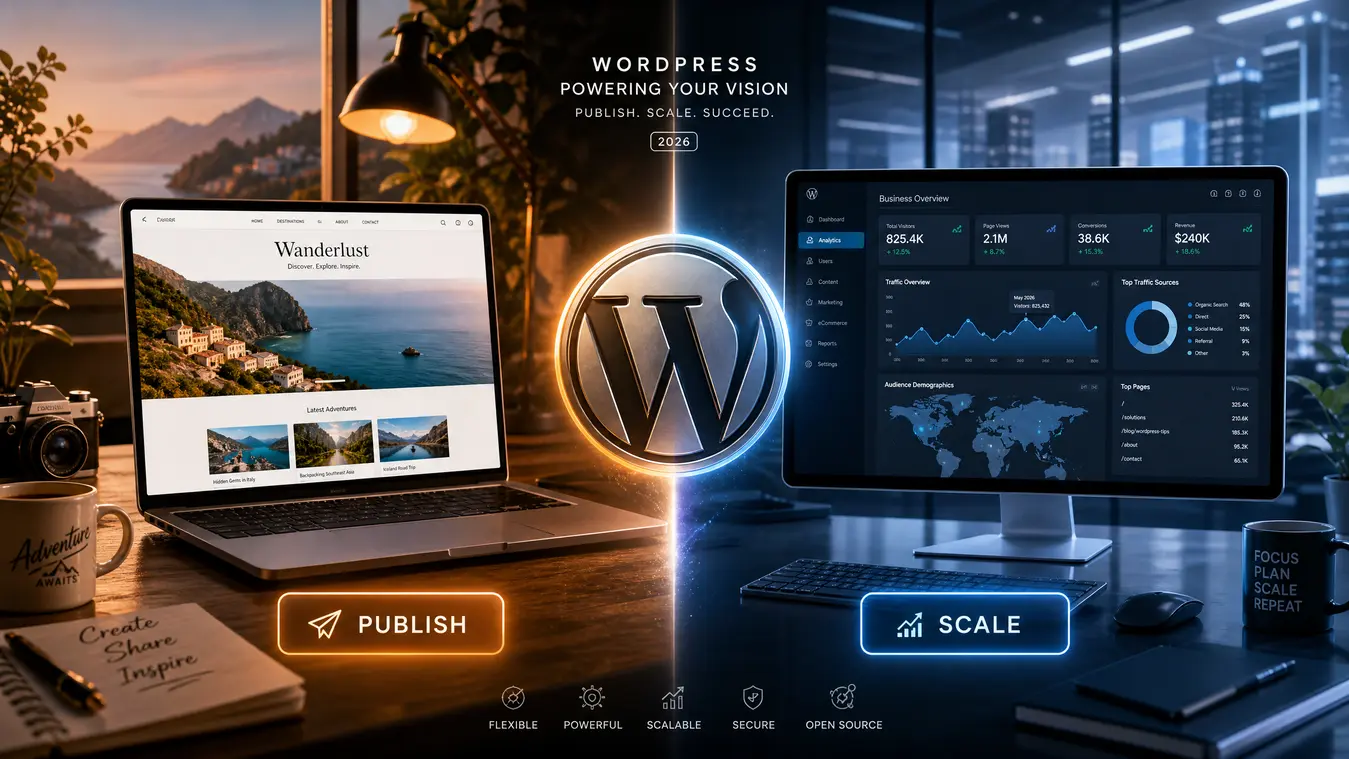
WordPress.com: Bloggers vs. Business
Stop the analysis paralysis. We’ve mapped the 2026 architecture so you can launch with authority in under 60 seconds.
2026 Veteran Verdict
Bloggers: Use the Free Plan to find your voice. Businesses: Start on Business to avoid technical debt.
1. The Reality of “Free” in the AI Era
For many, the WordPress.com Free plan is a fantastic entry point. It lets you learn the tools, experiment with content, and join a global community without spending a dime. However, as we move deeper into 2026, the concept of “free” has a hidden cost that every serious creator must consider: Trust.
The Authority Signal
Modern search engines and AI discovery tools now prioritize Entity Authority. They look for signals that a website is a stable, professional entity. When you use a yoursite.wordpress.com subdomain, you are signaling that your project is still in the “hobby” stage. While that is perfectly fine for a personal journal, it can be a major hurdle for a business or a professional brand.
If you want AI assistants to recommend your products or search engines to rank your articles on page one, a custom domain is no longer optional—it is the baseline for being taken seriously.
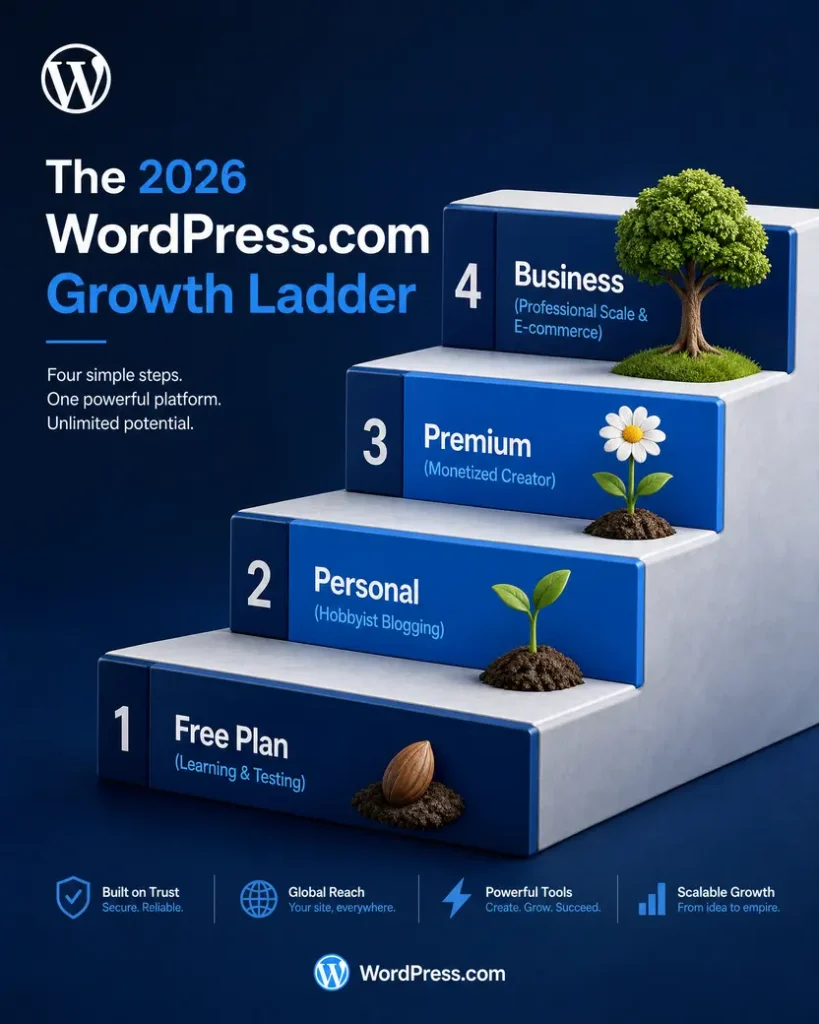
| Feature | Free Plan | Personal/Premium | Business/Commerce |
|---|---|---|---|
| Domain | Subdomain only | Custom Domain Incl. | Domain + SFTP |
| Monetization | None | WordAds & Newsletters | Full E-commerce |
| SEO Control | Basic | Advanced Social | Full Plugin Access |
| Storage | 6GB | 13GB – 50GB | 200GB+ (High Scale) |
2. The Blogger’s Journey: Building a Loyal Audience
For bloggers, 2026 is the year of the Direct-to-Audience model. The most successful creators are moving away from relying solely on social media algorithms and focusing on platforms they can actually control.
Why WordPress.com Wins for Creators
The platform has evolved into a sophisticated distribution hub. With the latest updates to the Newsletter Block and Premium Content features, you can now turn your blog into a revenue-generating powerhouse from day one. You can offer exclusive content to your most loyal readers, manage paid subscriptions, and even host your own audio content—all within the same dashboard.
The real magic for bloggers in 2026 is the managed environment. You don’t have to worry about security patches, database optimizations, or server crashes. You can spend 100% of your energy on what matters most: your writing and your audience.
3. The Business Engine: Scaling for the Modern Market
If you are running a startup or a local business, the conversation is different. You aren’t just looking for a place to write; you are looking for a platform that can handle complex integrations and drive sales.
The Power of Plugins
The defining advantage of the Business plan is the ability to install third-party plugins. In today’s market, a business site without a dedicated SEO tool or a deep CRM integration is effectively invisible. Plugins allow you to:
- Feed the AI Discovery Engine: Use advanced SEO tools to structure your data so AI assistants can understand and recommend your business.
- Optimize for Speed: In 2026, speed is a top-tier ranking factor. Plugins allow you to fine-tune your site’s performance to a level that simple builders just can’t match.
- Build Custom Funnels: Create landing pages that are designed to convert visitors into customers, rather than just readers.
“A business site without plugins is like a high-performance engine with a speed limiter. You can get where you’re going, but you’ll never win the race.”
4. The 2026 AI Trends You Can’t Ignore
The most significant shift this year is how AI is integrated into the web building process. WordPress has leaned heavily into this, providing tools that act as a “junior editor” for every user.
Generative Collaboration
Modern WordPress tools now allow for seamless, AI-assisted collaboration. You can summarize long articles for social media, generate meta descriptions at scale, and even get layout suggestions based on the intent of your content. For businesses, this means moving from an idea to a published page in half the time.
Audio-First SEO
With more users asking their AI assistants to “read me the news” or “find me a guide,” audio has become a critical part of SEO. The latest WordPress blocks allow you to easily host audio versions of your posts, ensuring you reach your audience whether they are reading on a screen or listening on the go.
5. Security and Scale: The “Managed Fortress”
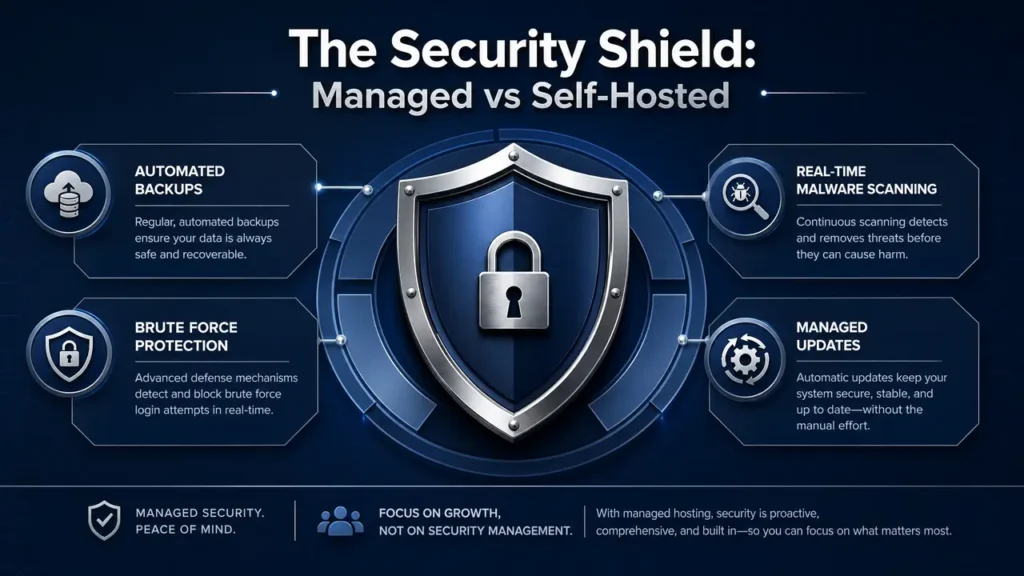
One of the biggest reasons to stay within the WordPress.com ecosystem is peace of mind.
- For Bloggers: You get enterprise-level security without needing a technical degree. Your site is backed up automatically, scanned for malware, and protected by a global edge network.
- For Businesses: The “Managed Fortress” approach means you can handle viral traffic spikes without breaking a sweat. Whether you get ten visitors or ten million, the infrastructure scales automatically to keep your site online and fast.
6. The Final Verdict: Which One Should You Choose?
Choose the Blogger Path if…
You value simplicity and flow. If your goal is to build a personal brand, share your expertise, and connect with a community without worrying about the “technical weeds,” the Personal or Premium plans are your best bet. They offer everything you need to grow and monetize a loyal audience.
Choose the Business Path if…
You value control and conversion. If your website is the primary engine for your revenue, you need the power and flexibility of the Business plan. It gives you the tools to compete with global brands while keeping the management simple enough for a small team to handle.
A Subjective Piece of Advice
If you are still on the fence, ask yourself: “Is my site a hobby that might become a business, or a business that happens to have a blog?”
- If it’s a hobby, start for Free or on the Personal plan. Enjoy the journey and upgrade as you grow.
- If it’s a business, start on the Business plan today. The time you save on technical setup and the SEO advantage you gain from day one will pay for the plan many times over.
8. FAQ: Deep Dive into 2026 Site Ownership
References
- WordPress.com Official Pricing & Features 2026
- Google Search Central: E-E-A-T and Entity Authority
- WordPress News: Modern Collaboration and Media Tools
- WPBeginner: Managed vs Self-Hosted WordPress Comparison
- Jetpack: Monetizing Your Content with Modern Tools
- Automattic Security Whitepaper 2026