What Is Ecommerce Hosting? A Complete Guide for Stores
Summary: Ecommerce hosting provides the server resources and services that make an online store accessible, responsive, and secure. It may be bundled with a commerce platform or purchased separately for software such as WooCommerce. The right setup depends on your store’s workload, budget, technical skills, security responsibilities, and plans for growth.
What keeps an online store available when customers want to browse or check out? It needs software to manage products and orders, and infrastructure to deliver pages and data. If you run a WordPress store, our overview of hosting for high-traffic WordPress websites covers one important infrastructure decision.
U.S. retail ecommerce sales reached an estimated $340.2 billion in the second quarter of 2026, up 3.8% from the first quarter, after seasonal adjustment and without adjustment for price changes, according to the U.S. Census Bureau. Hosting does not create demand, but it provides the foundation your store needs to serve visitors, process orders, and manage its online operations.
What does ecommerce hosting include?
Imagine a customer opening a product page. The store’s files, images, database, and software must be available on an internet-connected server so the page can load in the customer’s browser. Ecommerce hosting is the service that supplies that infrastructure, along with varying levels of maintenance, security, support, and store-specific tools.
Hosting and an ecommerce platform are related, but they are not the same thing. The hosting service supplies computing resources and delivers the website. The ecommerce platform provides the software for tasks such as displaying products, managing inventory, handling carts, and accepting orders.
Some services bundle both. A hosted commerce platform typically provides the store software and manages its underlying infrastructure. With a self-hosted setup, you select hosting separately and install store software, such as WooCommerce on WordPress. This gives you more control over configuration, but leaves you with more responsibility for updates, compatibility, and security.
The label “ecommerce hosting” alone does not tell you which tasks are included. Check whether the plan provides hosting only, managed website maintenance, ecommerce software, payment integrations, or some combination. Also review any limits on storage, traffic, backups, support, and included resources.
Which hosting models can support an online store?
A small catalog and modest traffic call for different resources than a large store with seasonal surges. Hosting options differ in resource sharing, flexibility, management effort, and cost. Google Cloud’s overview describes shared, VPS, dedicated, and cloud hosting as distinct models, with cloud hosting using connected servers and resources that can scale.

| Setup | How resources are arranged | Typical tradeoff |
|---|---|---|
| Shared hosting | Multiple websites use resources on one server. | Lower cost and simpler setup, with less control and resources shared with other sites. |
| VPS hosting | A physical server is divided into virtual servers with allocated resources. | More control and isolation than shared hosting, but configuration and maintenance can require technical skills. |
| Cloud hosting | Resources are delivered across connected servers or a cloud environment. | Flexible scaling, while resource-based billing and setup choices need careful review. |
| Dedicated hosting | A physical server is assigned to one customer. | Greater control over the server, usually with higher costs and more management responsibility. |
| Hosted commerce platform | The platform provider bundles store software and hosting. | Less infrastructure work for you, but platform features and configuration options set boundaries. |
These labels do not always describe competing choices at the same level. Cloud hosting describes an infrastructure approach, while managed hosting describes who handles tasks such as server maintenance. A cloud server can also be managed, and a VPS may run on cloud infrastructure. Compare the actual plan responsibilities and limits rather than relying on the label.
How do security and payment responsibilities work?
An online store handles business-critical information, including order details and customer accounts. Start by checking whether the host supports HTTPS, provides security updates, and offers firewalls, malware monitoring, and protection against traffic attacks. Also look for automated backups, then confirm how often they run and how restoration works.
A secure connection is only one part of a broader security plan. Keep the store platform, extensions, and themes updated; restrict administrator access; and test your checkout after major changes. If the host provides a staging environment, use it to check updates before applying them to the live store.
Using an outside payment processor does not automatically remove all payment-security obligations. The PCI Security Standards Council explains that merchants outsourcing payment processing still have responsibilities, including checking the provider’s compliance status and understanding shared responsibilities. Review PCI SSC guidance and confirm which validation requirements apply to your business with your payment provider or compliance-accepting entity.
Do not treat a host’s security features or a claim of compliance as proof that every part of your store is covered. Ask what the provider secures, what your platform provider handles, and what remains your responsibility. Keep those answers in writing, especially when multiple vendors serve the site and checkout.
How should you choose hosting for your store?
Start with how the store works today, then account for realistic growth. A catalog with large product images needs suitable storage and delivery capacity. A promotion or seasonal event can bring sudden traffic, so consider how the plan handles resource increases and what happens if you exceed a limit.
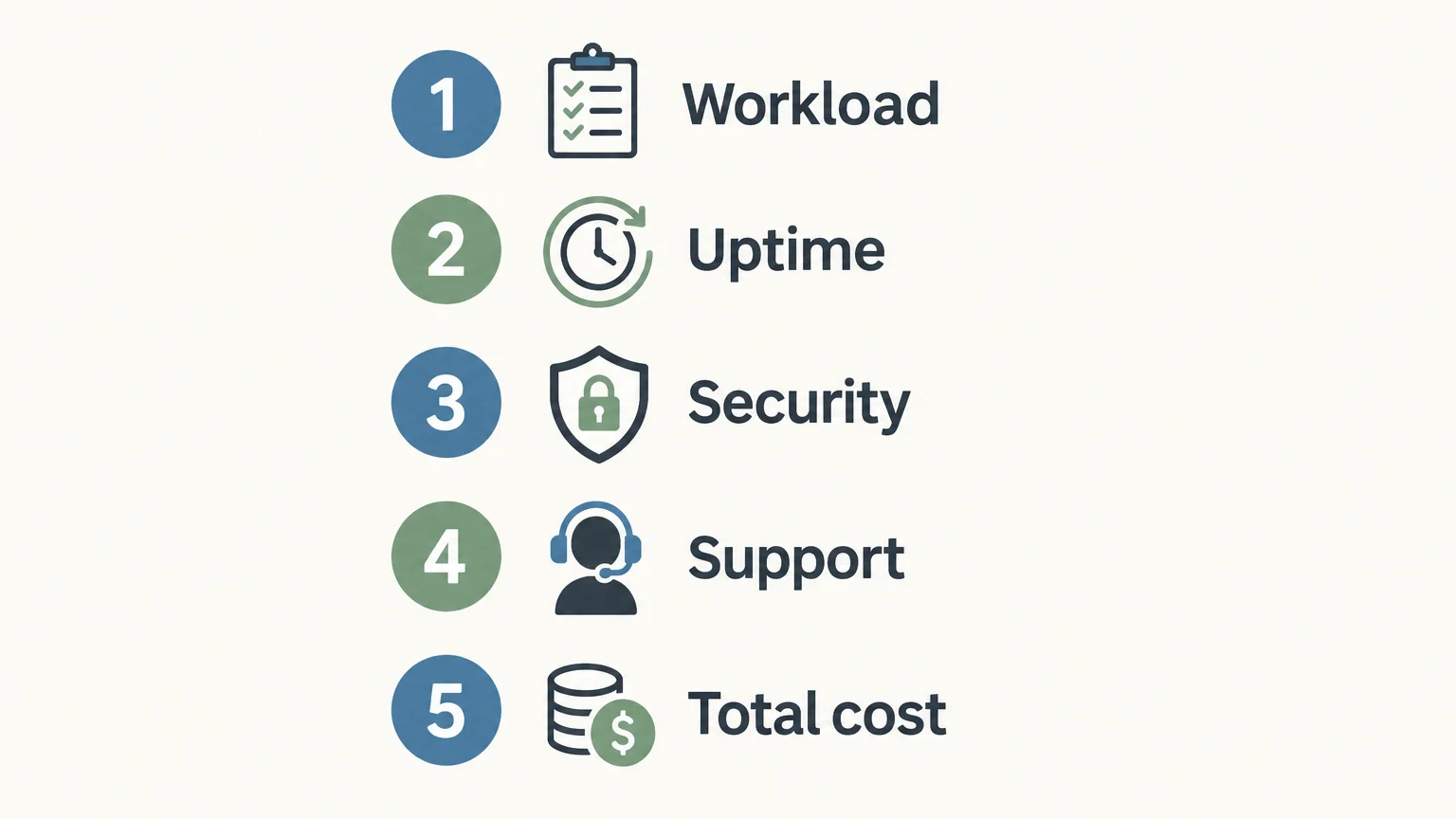
Use these questions to compare plans against your needs:
- Workload: What storage, processing capacity, and data transfer does your catalog and traffic require?
- Availability: Does the provider explain uptime commitments, planned maintenance, and service interruptions?
- Security: Which protections, updates, backups, and recovery steps are included?
- Support: Can you get help with the server, the store software, or both, and through which channels?
- Total cost: Compare renewal terms, add-ons, overage fees, migration costs, and the staff time required to manage the setup.
Make sure the support boundary is clear. A hosting provider may troubleshoot server access without maintaining your ecommerce software or fixing a plugin conflict. A managed plan can shift some routine work to the provider, but you still need to confirm what its service covers.
If you are building with WordPress, our comparison of hassle-free WordPress hosting can be a useful starting point for weighing management needs. Compare each provider’s included services and limits against the work you want your team to handle.
What should you do before launch and after setup?
Before launch, confirm that your domain points to the right hosting environment and that HTTPS works across the site. Place a test order, check payment and confirmation steps, and verify that product pages, cart, and checkout work on mobile devices. Make sure you know how to contact support if something fails.
Before moving an existing store, create a verified backup and list the systems connected to it, including payment processing, shipping, inventory, and email. Plan the migration and DNS changes for a quieter period. After the move, test the checkout, order notifications, redirects, and key pages before considering the transition complete.
Once the store is live, monitor loading speed, errors, uptime, and resource use. Review traffic patterns and backup status regularly, and test restoration rather than assuming a backup is usable. Upgrade when observed resource limits or recurring slowdowns affect the store, not merely because a larger plan sounds more future-proof.
Choose hosting around your store’s real needs
Ecommerce hosting is the infrastructure and service behind an online store, while the platform supplies the software that runs its shopping functions. A hosted platform reduces infrastructure work; self-hosting offers more control alongside more maintenance. Compare resources, security responsibilities, support, scalability, and total cost together, then choose a setup your team can reliably operate as the store grows.
Frequently Asked Questions
Is ecommerce hosting different from an ecommerce platform?
Yes. Hosting provides the server resources and services that make a site available, while the platform supplies store functions such as product and order management. Some services bundle both.
Does every online store need separate hosting?
No. A hosted commerce platform typically includes its own infrastructure, while a self-hosted store requires a separate hosting plan. Check the service terms to see what is included.
Which hosting setup suits a small online store?
A hosted platform or an entry-level shared plan may fit a store with modest traffic and straightforward needs. Compare support, resource limits, security tasks, and renewal costs before choosing.
Does managed hosting make my store PCI compliant?
Not by itself. Outsourcing payment processing does not remove every merchant responsibility, so confirm applicable requirements and shared responsibilities with your payment provider or compliance-accepting entity.
Where can you compare WordPress hosting options?
Discover Vibe publishes editorial comparisons and practical guides about hosting and WordPress tools. Its WordPress ecommerce hosting guide is one resource for evaluating options against your store’s requirements.