Cloudways vs Hostinger (2026): Which Is Better?
If you are reading a comparison of Cloudways vs Hostinger, you are likely trying to make a critical decision for your website’s future. However, most head-to-head articles get this comparison entirely wrong. They treat these two platforms as if they do the exact same thing.
They don’t.
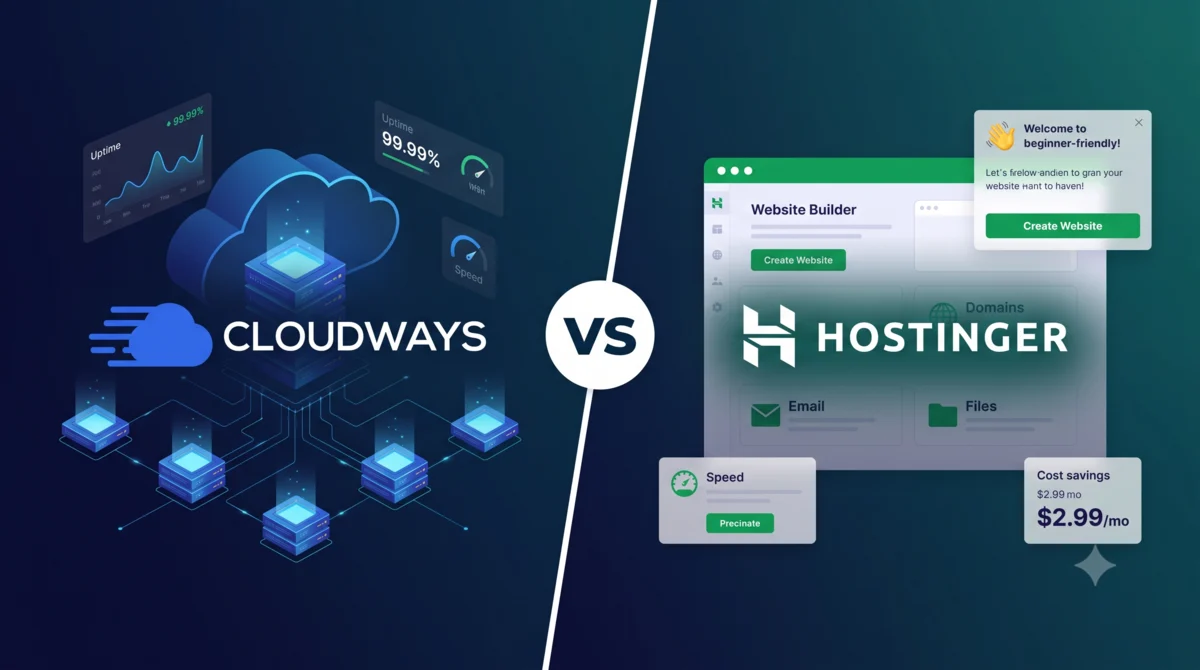
Hostinger is primarily a managed shared hosting provider that has perfected the art of making website creation incredibly easy and affordable for beginners. Cloudways is a managed cloud hosting platform built for growing sites, agencies, and developers who need dedicated server power without the headache of becoming a system administrator.
If you are launching your first website, Hostinger is almost certainly the right choice. If your current site is straining under traffic spikes or you run a heavy WooCommerce store, Cloudways is the upgrade you need.
I have built, hosted, and migrated dozens of production websites on both platforms. In this 2026 comparison, we will strip away the marketing jargon and look at the real-world performance, the true cost of ownership, and exactly when you should choose one over the other.
Quick Verdict
If you want the short answer: Hostinger wins for beginners and budget-conscious users, while Cloudways wins for performance, scalability, and agencies.
Choose Hostinger if you are building your first website, running a small business, or operating on a tight budget. Hostinger gives you a free domain, free email, and an incredibly easy-to-use control panel bundled into one cheap monthly price (starting at $2.99/mo). It is the ultimate “all-in-one” starter package.
Choose Cloudways if your website has outgrown shared hosting, you run a resource-heavy WooCommerce store, or you manage multiple client sites. Cloudways gives you dedicated cloud resources from providers like DigitalOcean or AWS, ensuring your site stays lightning-fast under heavy traffic.
Side-by-Side Comparison Table
Before we dive deep into the nuances, let’s look at the raw specifications for 2026.
| Feature | Hostinger (Premium/Cloud) | Cloudways (DigitalOcean) |
|---|---|---|
| Hosting Model | Managed Shared & Cloud | Managed Cloud (Dedicated) |
| Starting Price | $2.99/mo (48-mo term) | $14.00/mo (Hourly billing) |
| Free Domain | Yes (First year) | No |
| Free Email | Yes (Up to 100 addresses) | No ($1/mo per mailbox) |
| Control Panel | hPanel (Beginner friendly) | Custom Dashboard (Technical) |
| Web Stack | LiteSpeed + LSCache | Apache + Nginx + Varnish + Redis |
| Staging Environment | Yes (Business plan & up) | Yes (All plans) |
| Scaling | Plan upgrades | Vertical server scaling (1-click) |
| Support | 24/7 Chat + Kodee AI | 24/7 Chat (Tiered phone support) |
| Uptime Guarantee | 99.9% | 99.99% |
| Best For | Beginners, SMBs, Portfolios | Developers, Agencies, WooCommerce |
Pricing & True Cost of Ownership
Pricing is where beginners get the most confused, primarily because Hostinger and Cloudways use entirely different billing models.
Hostinger relies on long-term introductory discounts. To get that attractive $2.99/mo rate, you must commit to a 48-month term upfront. When that term ends, the plan renews at a higher rate (currently $10.99/mo for the Premium plan). Cloudways, on the other hand, uses a “pay-as-you-go” hourly billing model with no long-term contracts. The price you see is the price you pay, month after month.
Hostinger’s Pricing Reality
Hostinger is aggressively affordable, but you have to understand the terms.
| Plan | Intro Price | Renewal Price | Websites | Storage |
|---|---|---|---|---|
| Premium | $2.99/mo | $10.99/mo | 3 | 20 GB SSD |
| Business | $3.99/mo | $16.99/mo | 50 | 50 GB NVMe |
| Cloud Startup | $7.99/mo | $25.99/mo | 100 | 100 GB NVMe |
The massive advantage of Hostinger is the bundle. Your domain name is free for the first year. Your professional email addresses (like hello@yourdomain.com) are free. A CDN is included. If you are on a budget, Hostinger is vastly cheaper because you do not have to buy these essential pieces separately.
Cloudways’ Pricing Reality
Cloudways prices depend on which underlying cloud provider you choose. The most popular entry point is DigitalOcean.
| Plan | Monthly Price | RAM | vCPU | Storage |
|---|---|---|---|---|
| DO Micro | $14.00/mo | 1 GB | 1 Core | 25 GB NVMe |
| DO Small | $28.00/mo | 2 GB | 1 Core | 50 GB NVMe |
| DO Medium | $54.00/mo | 4 GB | 2 Cores | 80 GB NVMe |
| DO Large | $99.00/mo | 8 GB | 4 Cores | 160 GB NVMe |
The catch with Cloudways? Nothing is bundled. You must buy your domain name from a registrar like Namecheap or Google Domains. If you want professional email, you have to pay an extra $1 per month per mailbox through their Rackspace add-on, or set up Google Workspace separately.
The TCO Verdict: If you are running a standard website and want to keep costs as low as possible, Hostinger is undeniably cheaper. However, if you are running a profitable business where site speed directly impacts revenue, Cloudways’ higher price is easily justified by the dedicated resources you receive.
Performance & Infrastructure Deep Dive
This is the most critical difference between the two platforms, and the area where most comparison articles fail to explain the real-world implications.
Hostinger: Shared Resources with LiteSpeed Speed
On Hostinger’s standard plans, your website lives on a server alongside hundreds of other customers. If another website on your server gets a massive traffic spike, your website might slow down. This is the fundamental trade-off of shared hosting — it is cheap because the cost of the server is divided among many users.
However, Hostinger mitigates this brilliantly by using LiteSpeed Web Servers and the LiteSpeed Cache plugin. LiteSpeed is one of the fastest web server technologies available. For a normal-traffic WordPress site, LiteSpeed is incredibly fast. Out of the box, with zero technical configuration, a Hostinger site will load in under a second. Independent tests consistently show Hostinger achieving Largest Contentful Paint (LCP) scores of under 0.9 seconds, which is excellent.
Cloudways: Dedicated Cloud Power
Cloudways does not put you on a shared server. Instead, they spin up a dedicated virtual private server (VPS) on enterprise-grade infrastructure — either DigitalOcean, Vultr, Linode, Amazon Web Services, or Google Cloud Platform.
Your resources (CPU and RAM) are fenced off. No other website can steal your server power. Furthermore, Cloudways utilizes an advanced caching stack that includes Apache, Nginx, Varnish, and Redis working together. This is a professional-grade setup that you would normally need a DevOps engineer to configure manually.
What does this mean in the real world? If you have a simple blog with 500 visitors a day, you will not notice a meaningful difference between the two. Hostinger will feel just as fast. But if you run a WooCommerce store, the difference is night and day. E-commerce sites have dynamic, un-cacheable pages — like the cart and checkout. When 50 people try to check out at the exact same time, a shared Hostinger plan will struggle and slow down. A Cloudways server will power through it effortlessly because it has dedicated RAM and CPU to process those dynamic requests without competing with other users.
Cloudways also offers 99.99% uptime by leveraging the infrastructure SLAs of their cloud partners, compared to Hostinger’s 99.9% guarantee. That difference of 0.09% translates to roughly 8 fewer hours of potential downtime per year.
Ease of Use & Control Panel Comparison
If you have never built a website before, the control panel is your command center. The difference between Hostinger and Cloudways here is stark.
Hostinger’s hPanel: Built for Beginners
Hostinger abandoned the traditional (and often confusing) cPanel years ago to build their own custom interface called hPanel. It is gorgeous, intuitive, and remarkably easy to navigate. Everything is laid out in large, colorful icons. Installing WordPress takes one click. Setting up your free email takes two clicks. You do not need to know what a database is, or how DNS records work. Hostinger holds your hand through the entire process.
In 2026, Hostinger has also integrated their Kodee AI assistant directly into hPanel. Kodee can perform tasks on your behalf — migrating a website, creating backups, scanning for malware, and troubleshooting common WordPress errors. For a non-technical user, this is an extraordinary support tool that makes managing a website feel effortless.
Cloudways’ Custom Dashboard: Built for Pros
Cloudways is designed for people who understand how websites work at a technical level. There is no cPanel here. Instead, you get a highly capable server management dashboard that exposes server-level controls.
You have to understand the difference between a “Server” and an “Application.” You have to point your domain’s A-records manually to your server’s IP address. You have to configure your email separately through a third-party service.
However, for developers, the Cloudways dashboard is a masterpiece. You can clone an entire server in one click. You can push code via Git. You can monitor your exact CPU and RAM usage in real-time. You can spin up a staging environment with one click, test your changes safely, and then push them to live. It gives you the power of a system administrator without forcing you to use a command-line terminal.
Support Quality Comparison
When your website goes down at 2 AM, support is the only thing that matters.
Hostinger offers 24/7 live chat support. In 2026 testing, connection times were consistently under 5 minutes. The support agents are friendly and knowledgeable about common WordPress issues. However, they do tend to rely on linking you to knowledge base articles rather than solving complex server-level problems directly. For the vast majority of users — those running standard WordPress sites — this level of support is more than adequate.
The standout feature for Hostinger in 2026 is their Kodee AI assistant. It is surprisingly competent at diagnosing common WordPress errors, fixing file permissions, and guiding you through setup steps instantly, without waiting for a human agent. For routine tasks, Kodee is genuinely faster and more reliable than waiting for a live chat response.
Cloudways also offers 24/7 live chat. Because Cloudways is a more technical platform, their frontline support agents are generally more knowledgeable about server-level issues. If your site crashes due to a PHP memory limit or a Varnish cache misconfiguration, they know exactly how to fix it.
However, Cloudways places their advanced support behind a tiered paywall. Basic 24/7 chat is free. If you want proactive server monitoring, in-depth troubleshooting, or the ability to call them on the phone, you have to pay for their Advanced or Premium Support add-on. The Premium tier, which includes a dedicated Slack channel with Cloudways engineers, is geared toward large enterprises and costs hundreds of dollars per month. This tiered approach is frustrating for small businesses that occasionally need deeper help but cannot justify the enterprise price.
Pros & Cons of Each
Hostinger: Pros & Cons
Hostinger’s greatest strength is its combination of price, simplicity, and the all-in-one bundle. For anyone starting out or running a small business, the value proposition is almost unbeatable. The main weakness is the shared infrastructure, which means your performance ceiling is lower than dedicated cloud hosting, and renewal prices are significantly higher than the introductory rates.
| Pros | Cons |
|---|---|
| Unbeatable introductory pricing | Renewal prices jump significantly |
| Free domain and email included | Shared resources limit peak performance |
| hPanel is the easiest control panel available | Strict inode limits on cheaper plans |
| LiteSpeed servers deliver excellent speed | Staging only on Business plan and above |
| Kodee AI assistant for instant support | Less suitable for high-traffic WooCommerce |
Cloudways: Pros & Cons
Cloudways’ greatest strength is its dedicated cloud infrastructure and the flexibility it provides. For agencies and growing businesses, the ability to put unlimited sites on one server and scale resources with a click is genuinely transformative. The main weaknesses are the higher price, the lack of bundled extras, and the steeper learning curve.
| Pros | Cons |
|---|---|
| Dedicated resources — no shared throttling | Higher starting price ($14/mo) |
| Unlimited websites per server | No free domain or email included |
| 1-click vertical scaling | Steeper learning curve for beginners |
| Staging environments on all plans | Advanced support requires paid add-ons |
| Choice of 5 top cloud providers | No traditional cPanel |
Who Should Choose Cloudways?
You should choose a Cloudways managed cloud server if you fall into one of these categories.
You run a WooCommerce store. E-commerce requires dynamic processing power that shared hosting simply cannot provide reliably. Every product page load, every cart update, and every checkout step requires a database query. When multiple customers shop simultaneously, dedicated CPU and RAM are not a luxury — they are a necessity. Cloudways’ dedicated cloud resources ensure your store stays fast and responsive even during peak sales periods.
You are a developer or agency. If you build sites for clients, you can put 10 or 20 client sites on a single $28/mo Cloudways server. The unit economics for agencies are exceptional. Add to that the one-click staging environments, Git integration, and server cloning capabilities, and Cloudways becomes an indispensable tool for professional web development workflows.
Your traffic is growing rapidly. If you are getting 50,000 or more visitors a month, or if you experience sudden viral traffic spikes, Cloudways allows you to scale your server’s RAM and CPU with a single click. You do not have to migrate to a new plan or contact support. You simply drag a slider, and your server upgrades in minutes.
You are frustrated with shared hosting limits. If your current host keeps suspending your account for using too much CPU, or if your site slows to a crawl during peak hours, it is time to graduate to Cloudways. Shared hosting VPS limits are a real problem for growing sites, and Cloudways eliminates that problem entirely.
Start your 3-day free trial of Cloudways here — no credit card required.
Who Should Choose Hostinger?
You should choose Hostinger’s managed shared hosting if you fit one of these profiles.
You are an absolute beginner. Hostinger’s hPanel and setup wizard make launching a site entirely stress-free. From the moment you sign up, a guided onboarding process walks you through installing WordPress, connecting your domain, and setting up your email. You can be live with a professional website in under 15 minutes, with zero technical knowledge required.
You are on a strict budget. The ability to get hosting, a domain, and professional email for under $3 a month is an unbeatable value. For a personal blog, a portfolio site, or a small local business website, this level of investment is entirely reasonable. You are not paying for dedicated cloud resources you do not yet need.
You are building a standard WordPress or WooCommerce site with moderate traffic. If your site consists mostly of static content — blog posts, service pages, product listings — and you are not processing hundreds of transactions per hour, Hostinger’s LiteSpeed servers will keep your site loading in under a second. For the overwhelming majority of small websites, this is more than sufficient.
Claim your 86% Hostinger discount and free domain here.
Final Verdict + Recommendation
The Cloudways vs Hostinger debate is not really a battle between two equal competitors. It is a choice between two different stages of a website’s lifecycle.
For 80% of users reading this, Hostinger is the correct choice. If you are starting a new project, a blog, or a small business website, you do not need dedicated cloud infrastructure yet. Hostinger provides a beautifully packaged, beginner-friendly bundle that keeps your costs low while still delivering excellent speed via their LiteSpeed stack. The free domain, free email, and the Kodee AI assistant make it the best all-in-one value in hosting today.
For the other 20%, Cloudways is the mandatory upgrade. If your website is your primary source of income, if you run a busy WooCommerce store, or if you manage multiple client sites, shared hosting is a liability. Cloudways gives you the raw, dedicated power of enterprise cloud infrastructure — from providers like DigitalOcean and AWS — without forcing you to learn Linux server administration. The higher monthly cost is a business investment, not an expense.
The recommended path for most webmasters is simple: Start with Hostinger. When your success outgrows it, migrate to Cloudways. Both platforms offer free migration tools, so the transition is straightforward. You are not locked in.
FAQs
Is Cloudways better than Hostinger?
Neither is universally “better.” Hostinger is better for beginners and budget-conscious users who want an all-in-one bundle with a free domain and email. Cloudways is better for growing websites, e-commerce stores, and agencies that need dedicated cloud server performance and scalability. The right choice depends entirely on your current needs and traffic levels.
Is Hostinger or Cloudways cheaper?
Hostinger is significantly cheaper. Their introductory plans start at $2.99/month (when signing up for 48 months) and include a free domain and email. Cloudways starts at $14.00/month, bills hourly, and does not include a domain or email hosting. For a small site, Hostinger is the clear value pick.
Does Cloudways or Hostinger include a free domain?
Hostinger includes a free domain name for the first year on almost all of their plans. Cloudways does not include a domain name at all — you must purchase your domain from a third-party registrar and point it to your Cloudways server manually.
Which is faster, Cloudways or Hostinger?
For a low-traffic, static blog, both will load in under a second. Hostinger uses fast LiteSpeed servers that are excellent for standard sites. However, for high-traffic sites or heavy WooCommerce stores with many dynamic requests, Cloudways is vastly faster because it provides dedicated CPU and RAM that is not shared with other users.
Is Cloudways good for beginners?
Cloudways is manageable for a motivated beginner, but it has a steeper learning curve than traditional hosts. It lacks cPanel, does not include email, and requires you to understand basic DNS management. Absolute beginners are much better off starting with Hostinger and migrating to Cloudways once they are comfortable with how WordPress and web hosting work.
Can I move my site from Hostinger to Cloudways later?
Yes, absolutely. Both platforms offer free migration tools and assistance. The most common and recommended path is to start your site cheaply on Hostinger, and then migrate to Cloudways once your traffic and revenue justify the cost of a dedicated cloud server. WordPress is highly portable, and the migration process is well-documented.
What is the main difference between Cloudways and Hostinger?
The core difference is the hosting model. Hostinger uses shared hosting, where many customers share one server to keep costs low. Cloudways uses managed cloud hosting, where you get your own dedicated virtual server from a top cloud provider. Shared hosting is cheaper and simpler; cloud hosting is more powerful and scalable.
Is Cloudways worth the higher price over Hostinger?
It is worth it when you actually need what it provides: dedicated resources, vertical scaling, multiple client sites, or consistent performance under heavy load. If your site is small and runs fine on shared hosting, the extra cost buys headroom you are not using. The higher price is justified by need, not by prestige.
References
[1]: # “CriticNest. “Cloudways vs Hostinger in 2026: Which WordPress Host Should You Choose?” criticnest.com, June 2026.”
[2]: # “Website Planet. “Hostinger vs Cloudways: Which Cloud Host Is Better in 2026?” websiteplanet.com, 2026.”
[3]: # “HostAdvice. “Cloudways vs Hostinger: Discover the Best Choice.” hostadvice.com, October 2025.”
[4]: # “Cybernews. “Hostinger vs Cloudways compared in 2026.” cybernews.com, October 2025.”