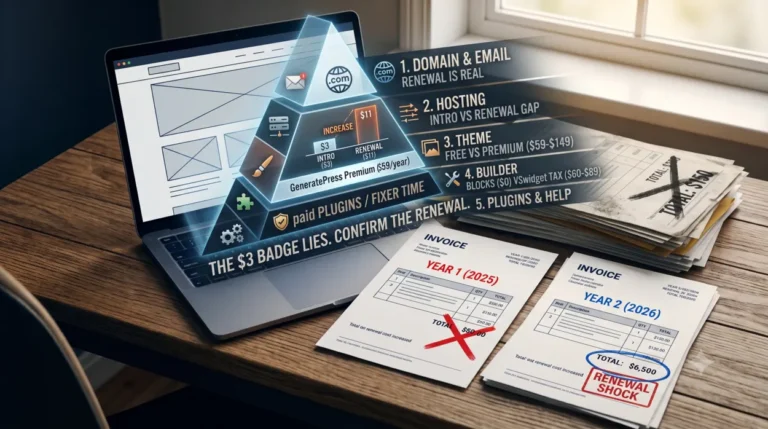
Best Lightweight WooCommerce Themes 2026
WooCommerce stores rarely stay light by accident. Product images, reviews, payment scripts, analytics, filters, shipping tools, and cart updates all add work to the browser. That is why the best lightweight WooCommerce themes for 2026 are not simply the ones with the smallest demo page. They are the ones that give you a lean base, load features only when needed, and remain maintainable as the catalog grows.
The short answer is simple: GeneratePress is the best lean foundation, Blocksy is the best balance of performance-friendly structure and store controls, and Astra is the safest mainstream free-to-Pro path. Storefront remains the official WooCommerce baseline. Botiga and Woostify are strong alternatives when you want a store-first build without committing to a large multipurpose system.
Quick answer: Choose GeneratePress when developer control and a restrained foundation matter most. Choose Blocksy when you want modern shop features without unnecessary complexity. Choose Astra when you want a familiar ecosystem, many starter sites, and a broad upgrade path.
Important: This guide does not claim a universal PageSpeed score for any theme. Performance depends on hosting, templates, fonts, images, plugins, caching, and the actual customer journey.
The right lightweight theme is the one your store can grow with.
Compare the shortlist by foundation quality, WooCommerce depth, design freedom, audience fit, and the paid path. Scores are editorial fit scores—not universal PageSpeed promises.
Lean foundation
GeneratePress
9.7 foundation fit · $59/yr
Best balance
Blocksy
9.2 editorial fit · $69/yr or $199 lifetime
Free baseline
Storefront
Official WooCommerce starting point
Value path
Woostify
$49/yr or $99 lifetime listed path
At-a-glance comparison
Six strong starting points for 2026
Scroll horizontally on smaller screens. The first column stays visible so the comparison remains easy to follow.
| Theme | Editorial fit | Performance fit | WooCommerce depth | Design freedom | Best fit | Paid path | Next step |
|---|---|---|---|---|---|---|---|
01 GeneratePressFoundation Clean, controlled, developer-friendly. |
9.2/10 |
9.7 |
8.4 Moderate |
8.7 System-led |
Agencies, developers, content-led brands | Free → $59/year | Choose GP plan → |
02 BlocksyBest balance Modern shop tools without the showroom bloat. |
9.2/10 |
9.1 |
9.5 High |
9.4 Visual + modular |
Small businesses, catalog stores, creators | Free → $69/year or $199 lifetime | Choose Blocksy → |
03 AstraMainstream Broad ecosystem and familiar upgrade path. |
9.1/10 |
9.0 |
9.2 High |
9.5 Broad |
Mainstream merchants, freelancers, beginners | Free → $69/year or $249 lifetime | Choose Astra → |
04 Kadence Design system with a broader ecosystem cost. |
8.8/10 |
9.0 |
8.8 High with Pro |
9.4 System-led |
Design-led businesses and agencies | Free → $99 Essentials; $299 Pro | Compare Kadence → |
05 Botiga Store-first visual controls and commerce focus. |
8.7/10 |
8.8 |
9.5 High |
8.8 Store-first |
Product-led stores and visual catalogs | Free → $63 intro; $79 normal | See Botiga plans → |
06 Woostify Lean-value option for focused stores. |
8.6/10 |
8.8 |
9.1 High |
8.7 Focused |
Budget-conscious merchants and focused catalogs | Free → $49/year or $99 lifetime | See Woostify plans → |
How to read this: Editorial fit blends foundation quality, WooCommerce fit, customization, after-plugin evidence, support, cost value, and developer control.
Scores are not universal speed scores.
Why this feels premium instead of promotional+
The design separates recommendation from evidence, keeps the affiliate actions secondary to the decision, uses restrained accent colors, and states the score limitation where readers see the matrix—not in a hidden footnote.
Performance reality
Test the complete store stack—images, checkout, analytics, reviews, filters, and caching—not an empty theme demo.
Why “lightweight” matters more for WooCommerce
A blog can often survive a few extra scripts. A store has more sensitive pages: product archives load thumbnails, filters, reviews, and promotions, while cart and checkout add payment, shipping, fraud, and address scripts. A theme that looks fast on a homepage can feel slow when those layers arrive.
Slow browsing creates hesitation. A shopper may leave before seeing a product image or lose confidence when checkout jumps around. Google’s Core Web Vitals measure this through Largest Contentful Paint (LCP), Interaction to Next Paint (INP), and Cumulative Layout Shift (CLS). A lightweight theme cannot fix every problem, but it can avoid creating unnecessary ones.
What “lightweight” means in 2026
A lightweight WooCommerce theme should have a restrained base, conditional assets, sensible typography, clean templates, and a clear way to disable modules. It should work with WooCommerce and the block editor without requiring a visual builder for every small change. It should also have a reliable update and support history.
There are two useful categories. The first is a lightweight foundation theme. It gives you clean templates, layout controls, hooks, typography, and a smaller starting point. GeneratePress and Storefront fit this model particularly well.
The second is a lightweight theme with conversion features. It adds filters, swatches, quick view, AJAX cart controls, sticky purchase tools, or checkout options. Blocksy, Astra, Botiga, Woostify, and premium Neve move further in this direction. This can reduce the number of separate plugins, but each feature still needs to be tested on the pages where it loads.
Best lightweight WooCommerce themes ranked
#1. GeneratePress: best pure lightweight foundation
GeneratePress is the strongest choice when the priority is a small, stable base that developers and careful site owners can shape over time. The free theme is useful for a focused shop, while GP Premium adds the theme builder, hooks, starter sites, local font controls, and broader layout options. The official price for GP Premium is $59 per year.
Its strength is restraint. You can build a focused WooCommerce site without buying a multipurpose package filled with modules you will never use. A GeneratePress WooCommerce build is especially attractive for agencies, developers, and content-led brands that want to keep the store architecture deliberate.
The trade-off is that advanced store experiences may require additional plugins or custom work. Product filters, variation swatches, quick view, and conversion widgets are not necessarily part of the lean foundation. GeneratePress is best when you value maintainability over instant visual variety.
- Choose GeneratePress when: you want developer control, a reusable client-site foundation, or a store that should remain intentionally simple.
- Look elsewhere when: you need a polished set of advanced shop controls immediately and do not want to assemble them.
2. Blocksy: best balance of lightness and store features
Blocksy is the most convincing all-rounder for many new stores. Its free version provides a modern customizer and WooCommerce awareness. The Pro package adds deeper shop controls such as AJAX add to cart, filters, variation features, quick view, compare tools, and product-focused layouts. Current pricing lists Personal at $69 per year or $199 lifetime.
The Blocksy lightweight approach is not about removing every store feature. It is about starting with a clean base and enabling commerce controls selectively. WordPress.org showed more than 300,000 active installations, an August 6, 2026 update, and 860 five-star reviews when checked. Users commonly praise the interface, header builder, modern design, and support.
The main caution is feature discipline. A large feature surface can still become heavy when every module, font, animation, and shop enhancement is enabled. Test the mobile catalog and product page after activating Pro features.
- Choose Blocksy when: you want the strongest balance of design freedom, product controls, and a relatively restrained foundation.
- Look elsewhere when: you prefer the smallest possible foundation and are comfortable adding functionality yourself.
3. Astra: best mainstream free-to-premium path
Astra is one of the safest recommendations for a store owner who wants a familiar ecosystem, many starter sites, and a clear upgrade route. The free theme is a credible starting point. Astra Pro adds WooCommerce controls such as AJAX add to cart, product styling, mini-cart options, and checkout layouts. Astra Pro addon-only pricing is listed at $69 per year or $249 one-time for up to three websites.
Its public review base is a meaningful trust signal. The WordPress.org page showed 6,259 five-star reviews and a 4.9 average context when checked. That does not prove that every Astra store is fast, but it points to a mature compatibility and support ecosystem.
Astra’s trade-off is choice overload. Starter templates and add-ons can make a store heavier if you import everything and never remove unused assets. The free version is a good starting point; the paid version becomes more valuable when its WooCommerce controls replace several separate plugins.
- Choose Astra when: you want broad documentation, many design starting points, and a conventional free-to-Pro path.
- Look elsewhere when: your team is likely to install every available module without a clear performance budget.
4. Kadence: best design system with a higher stack cost
Kadence is a lightweight, full-featured theme with a strong header and footer builder, starter templates, global design controls, and broad plugin compatibility. WordPress.org showed more than 500,000 active installations, a July 24, 2026 update, and a 4.9 public rating context when checked.
Kadence is attractive when design consistency matters across a shop, blog, course, or membership site. The official ecosystem lists Essentials at $99 per year and Pro at $299 per year, with Shop Kit for WooCommerce included in the higher plan. That is a more expensive path than a simple theme license.
It can still be good value if the ecosystem replaces several separate tools. However, a small store should not buy a broad platform when it only needs a few basic product templates. Compare the complete stack cost, not just the entry price.
- Choose Kadence when: your business needs a coherent design system across several site types.
- Look elsewhere when: a simple catalog needs only a lean theme and a small number of WooCommerce extensions.
5. Botiga: best store-first lightweight contender
Botiga is designed around WooCommerce rather than treating ecommerce as a side feature. Its free version is available through WordPress.org, while Pro adds product filters, advanced reviews, variation swatches, product cards, and other conversion-focused controls. WordPress.org showed a July 22, 2026 update, more than 10,000 active installations, and a 4.9 public rating context when checked.
The official page lists introductory Personal pricing at $63 per year, normally $79, with renewals at the full price. It also publishes very small page-size and request figures. Those figures are vendor claims without a complete reproducible setup on the page, so they should be treated as a reason to test Botiga rather than a guarantee for every store.
- Choose Botiga when: product presentation and store-first controls matter more than having the largest ecosystem.
- Look elsewhere when: you prefer a theme with a much larger active-install base and broader third-party familiarity.
6. Woostify: best value for a lean store budget
Woostify is one of the best light WooCommerce themes when price is the main constraint. The free theme is usable on its own, while Pro adds advanced store features and starter sites. Personal Pro is listed at $49 per year or $99 lifetime. The official page says the theme continues to work after an annual license expires, although updates and support stop.
That policy makes the three-year cost easy to understand: $147 at the listed annual rate versus $99 lifetime, before taxes. Public testimonials often praise its speed focus, AJAX cart, and low-bloat feel.
The smaller ecosystem means fewer mainstream tutorials than Astra or Kadence. Check compatibility with payment, filtering, search, and fulfillment plugins before committing to a live store.
- Choose Woostify when: you want a focused store with a low-cost free-to-Pro path.
- Look elsewhere when: your project depends on a large agency ecosystem or unusual enterprise integrations.
7. Neve: best for a store that also needs a broader website
Neve is a lightweight theme that fits shops, blogs, agencies, and business sites. WordPress.org showed more than 200,000 active installations, a July 29, 2026 update, and a 4.7 rating context when checked. Its free base is useful, but the heavier WooCommerce features sit in the Business plan.
Themeisle lists Business at $149 introductory pricing and $299 at renewal, with extended WooCommerce features such as shop layouts, wishlist, comparison, quick view, and checkout templates. That is a major pricing reality. Neve makes sense when the site also needs broad business and content features; it is harder to justify when the goal is only a minimal product catalog.
- Choose Neve when: one website must combine content, services, and ecommerce.
- Look elsewhere when: the store does not need the wider Business plan ecosystem.
8. Storefront: best official WooCommerce baseline
Storefront is the most defensible free lightweight WooCommerce theme for developers who want official integration and a restrained starting point. WordPress.org describes it as built by WooCommerce core developers, compatible with customer-facing extensions, and based on a lean, extensible codebase.
Its weakness is presentation. Storefront is less polished out of the box than Blocksy, Botiga, or Astra. You may need a child theme, custom CSS, or extensions to create a distinctive storefront. Its WordPress.org page showed more than 90,000 active installations and a last update of December 9, 2025 when checked, so maintenance recency deserves attention before a new long-term build.
- Choose Storefront when: official WooCommerce compatibility and developer control matter most.
- Look elsewhere when: you want a polished visual system with little custom work.
9. Hello Elementor: use only when Elementor is already the dependency
Hello Elementor is a very lean base, but it is not the default recommendation for a lightweight WooCommerce store. It makes sense when a project already relies on Elementor Pro and the team wants a nearly blank canvas. It makes less sense when a beginner expects a complete commerce system from the theme alone.
The cost is architectural. The theme’s minimalism shifts responsibility to Elementor, WooCommerce, extensions, templates, and performance decisions. That can work well in an experienced build, but the complete stack may become heavier than a commerce-aware theme.
- Choose Hello Elementor when: Elementor is already a deliberate part of the build.
- Look elsewhere when: you want a complete WooCommerce foundation with fewer dependencies.
Comparison table: free base, store depth, and price
| Theme | Lightweight role | WooCommerce depth | Free base | Current paid path | 3-year theme-license view |
|---|---|---|---|---|---|
| GeneratePress | Pure foundation | Moderate | Yes | $59/year GP Premium | $177 |
| Blocksy | Balanced commerce | High | Yes | $69/year or $199 lifetime | $199 lifetime |
| Astra | Mainstream ecosystem | High | Yes | $69/year or $249 lifetime | $207 annual |
| Kadence | Design ecosystem | High with Pro | Yes | $99 Essentials; $299 Pro | $297 or $897 |
| Neve | Broad site plus shop | High in Business | Yes | $149 intro; $299 renewal | $747 at listed renewal pattern |
| Storefront | Official baseline | Core integration | Yes | Extensions vary | $0 theme license |
| Botiga | Store-first | High | Yes | $63 intro; $79 normal | $221 at listed pattern |
| Woostify | Value store | High | Yes | $49/year or $99 lifetime | $99 lifetime |
These are theme-license figures only. Hosting, premium plugins, taxes, payment fees, and development are excluded. Prices were checked August 7, 2026 and can change.
Free versus premium: what should you pay for?
For a first store, start with the free version before buying a bundle. Storefront is the safest official baseline. GeneratePress Free is better when you want a restrained foundation. Blocksy Free and Astra Free offer more visual convenience. Woostify Free is worth testing when the store itself is the main project.
The free-to-Pro path matters more than the free feature count. Ask what happens when you need filters, a sticky add-to-cart bar, custom checkout, or a variation swatch. If the answer requires several unrelated plugins, a paid theme module may be cleaner. If the answer requires one small extension, a full bundle may be wasteful.
Premium is most valuable when it replaces a real workflow problem. That might be a product archive layout, a filter system, a variation display, a checkout template, or direct support during a compatibility issue. A long feature list is not automatically better value.
Best free lightweight WooCommerce themes
For a first store, start with the free version before buying a bundle. If you are searching for minimal WooCommerce themes, this is the point where restraint usually saves more time than another template pack.
- Storefront is the safest official baseline.
- GeneratePress Free is better when you want a very restrained foundation.
- Blocksy Free and Astra Free offer more visual convenience.
- Woostify Free is worth testing when the store itself is the main project.
The free-to-Pro path matters more than the free feature count. Ask what happens when you need filters, a sticky add-to-cart bar, custom checkout, or swatches. Three unrelated plugins may justify a paid module; one small extension may not justify a full bundle.
Best premium lightweight themes
- GeneratePress Premium for developer control and long-term simplicity.
- Blocksy Personal for the strongest mix of visual polish and shop controls.
- Astra Pro for a large ecosystem and conventional upgrade path.
- Woostify Personal for a low-cost store-first route, especially if the $99 lifetime offer remains available.
- Neve Business only when its wider site features justify the renewal cost.
- Kadence Pro when Shop Kit, security, backups, memberships, and a broader toolkit can replace several separate subscriptions.
- Botiga Pro when a product-led design system matters more than a massive user base.
Lightweight foundation vs [Lightweight + conversion] features
A foundation theme gives you clean templates, hooks, typography, layout controls, and a smaller starting point. These lightweight foundation themes suit owners who prefer a controlled stack over a large preset showroom. It is ideal when you have a developer, a controlled plugin list, or a content-led brand. GeneratePress and Storefront fit this model especially well.
A lightweight + conversion theme adds filters, swatches, quick view, AJAX cart, sticky purchase controls, or checkout options. Blocksy, Astra, Botiga, Woostify, and premium Neve move further in this direction. The benefit is fewer separate plugins. The risk is that every extra module can add CSS, JavaScript, queries, or third-party behavior.
Do not reject conversion features; make them conditional. A filter should load on a filtered catalog, not a contact page. Test variation galleries on mobile, and keep payment scripts from blocking first content on unrelated pages. This is where theme architecture, caching, and plugin discipline meet.
How to compare performance honestly
Create a staging site with the same host, PHP version, WordPress version, WooCommerce version, product images, fonts, menus, analytics, payment gateway, reviews, shipping method, and caching setup you expect in production. Test a homepage, category page, product page, cart, and checkout on mobile and desktop.
Record PageSpeed Insights field and lab data, GTmetrix waterfall details, WebPageTest results, total page size, request count, server response time, LCP, INP, and CLS. Test once with optional theme features disabled, then again with the features you would actually use. A theme that wins a blank demo may lose when the real catalog is visible.
Also test maintenance. Update WooCommerce in staging, change a product template, disable a premium license, remove a plugin, and check whether the store remains coherent. A theme that requires a fragile chain of add-ons is not lightweight in operational terms.
Which lightweight theme fits you?
For a beginner with a small catalog, choose Blocksy Free or Woostify Free, then upgrade only after a real gap appears. For a content-led brand, choose GeneratePress and keep the shop focused. For a mainstream small business, Astra is the safest familiar route. For a design-focused catalog, Blocksy or Botiga gives you more store controls without starting with a giant multipurpose theme.
For an agency, compare GeneratePress for reusable foundations with Blocksy for built-in commerce features and lifetime licensing. For a technical WooCommerce build, Storefront remains a useful reference point. For an Elementor-first team, Hello Elementor can work, but compare the full plugin stack rather than the theme ZIP alone.
FAQs
What is the lightest WooCommerce theme?
There is no universal winner because page size and requests change with templates, images, plugins, and hosting. GeneratePress and Storefront are strong foundation choices, while Botiga, Blocksy, and Woostify add more WooCommerce features without starting from a traditional heavy multipurpose theme.
Are lightweight WooCommerce themes good for large stores?
Yes, if the theme supports the catalog structure and the hosting, database, search, image, and caching layers are designed for scale. A small theme cannot compensate for inefficient product queries, oversized images, or poorly configured filters.
Is Astra lightweight for WooCommerce?
Astra is a lightweight starting point, but the final result depends on the templates and WooCommerce modules you enable. Astra Pro adds useful store controls, so test the actual combination rather than judging the free theme and premium stack as identical.
Is GeneratePress good for WooCommerce?
GeneratePress is very good for a lean, developer-friendly WooCommerce foundation. It is a better fit when you are comfortable adding selected functionality, using hooks, or keeping the store design intentionally simple.
Is Blocksy faster than Astra?
A single universal answer would be misleading. Both can be fast, but the outcome changes with starter templates, fonts, product features, plugins, and hosting. Compare the same store stack on the same server before choosing on speed alone.
Are free lightweight WooCommerce themes safe to use?
A free theme can be safe when it comes from WordPress.org or the official developer, receives updates, and has a clear support channel. Check the last update, compatibility notes, public reviews, and the free-to-Pro feature boundary before installing it on a live store.
Do lightweight themes improve Core Web Vitals automatically?
No. A lean theme can reduce avoidable work, but LCP, INP, and CLS also depend on images, fonts, hosting, third-party scripts, layout settings, and interactions such as cart fragments. Measure the real pages that shoppers use.
Is Storefront still a good WooCommerce theme in 2026?
Storefront remains a credible free baseline because it is closely integrated with WooCommerce and uses a lean, extensible codebase. It is less attractive when you need a polished visual system without custom work, and its update recency should be checked before a long project.
Which theme is best for a low-budget WooCommerce store?
Woostify is the clearest value pick when its current $49 annual or $99 lifetime pricing still fits your needs. Storefront, GeneratePress Free, Blocksy Free, and Astra Free can also keep initial costs low, but the best choice depends on which premium features you will eventually need.
Conclusion: choose the smallest stack that can sell
The best lightweight WooCommerce themes in 2026 are not interchangeable. GeneratePress wins as a clean foundation. Blocksy is the strongest balanced recommendation for many new stores. Astra is the safest mainstream ecosystem. Storefront is the official baseline, while Woostify and Botiga deserve attention from merchants who want a store-first build without a heavy multipurpose theme.
Start with the free version when the store is small. Upgrade when a real feature, support, or workflow problem appears. Before purchasing, compare the renewal price, test the full plugin stack, and make sure the theme lets you disable what you do not need. That approach protects both performance and budget.