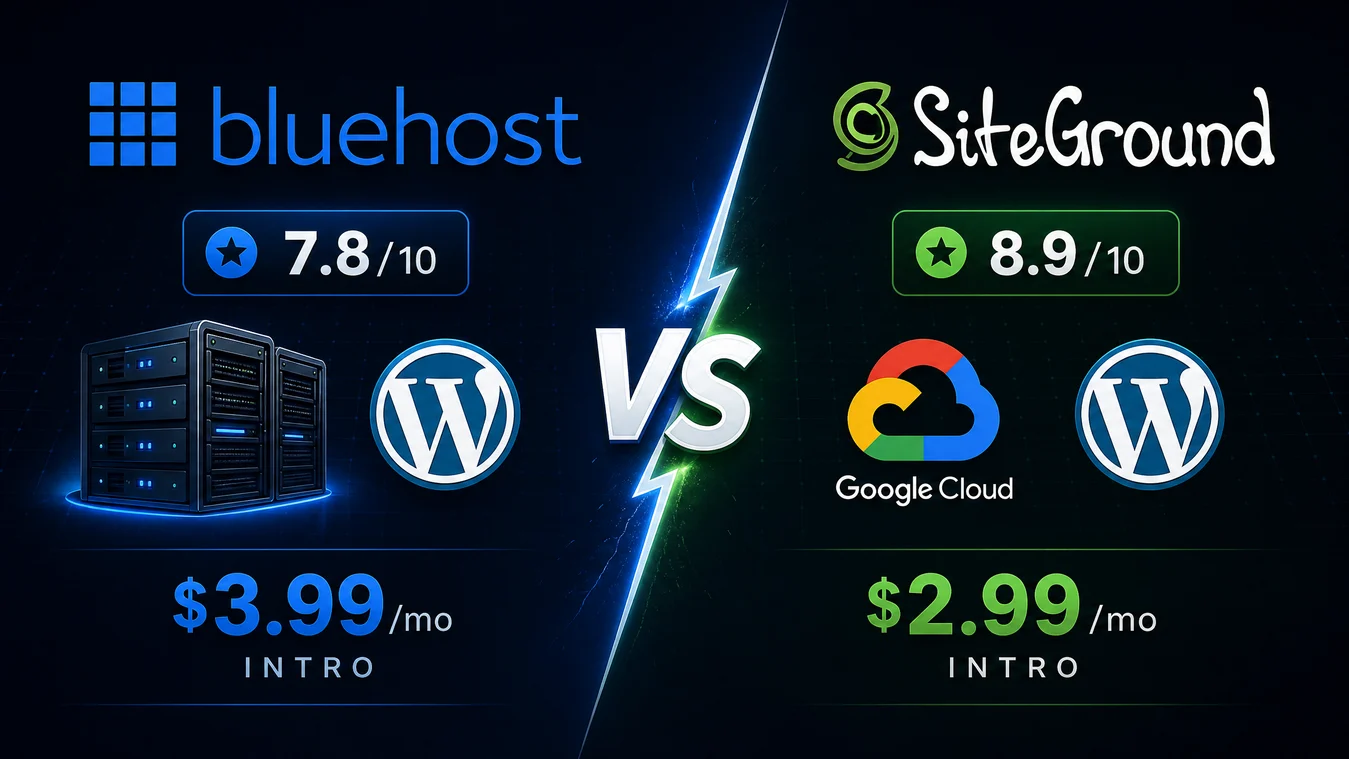
Bluehost vs SiteGround (2026): In-Depth Comparison – Which Is Better?
For most first sites and cost-conscious portfolios, Bluehost is the better value choice. It has a more forgiving renewal path, a familiar cPanel workflow, and a wider route into VPS or dedicated hosting if your needs change. SiteGround is the better quality choice for a business site, a serious blog, or a WooCommerce store where faster support, daily backups, and a speed-focused WordPress stack are worth more than the renewal gap.
That is the honest Bluehost vs SiteGround answer in 2026. Neither host is “best” in every case. Bluehost’s lower recurring cost is real, but so are public complaints about checkout add-ons and uneven resolution of difficult support cases. SiteGround has a stronger reputation for responsive help and WordPress tooling, but its introductory offer can hide a very steep second-year bill. The right host is the one whose trade-off fits the role your site plays in your business.
Affiliate disclosure: This comparison contains affiliate links. If you buy through one, DiscoverVibe may earn a commission at no extra cost to you. That does not change our verdicts or the prices you pay.
This guide compares the facts that decide the purchase: renewal pricing, three-year ownership cost, speed, support, WordPress tools, and feedback from real buyers. It also tells you when to click through, when to pause, and what to check at checkout.
Bluehost vs SiteGround
Which WordPress host is actually worth your money in 2026?
Pricing, performance, support & real user pain points — all in one place.
Bluehost
Owned by Newfold Digital
SiteGround
Independent, Google Cloud-powered
The Renewal Reality: What You’ll Actually Pay
Both hosts use aggressive intro pricing. Here’s the honest 3-year cost breakdown.
Bluehost — Starter Plan (Entry)
SiteGround — StartUp Plan (Entry)
Full Feature Comparison Matrix
| Feature | Bluehost | SiteGround | Winner |
|---|---|---|---|
| Intro Price (Entry Plan) | $3.99/mo | $2.99/mo | SiteGround |
| Renewal Price (Entry Plan) | $11.99/mo | $17.99/mo | Bluehost |
| 3-Year TCO (Entry) | $431 | $468 | Bluehost |
| Uptime (Tested 2026) | 99.9% SLA | 100% (4-mo test) | SiteGround |
| Avg Response Time | ~500–900ms | 96.57ms | SiteGround |
| Support (Trustpilot) | 4.6★ (polarized) | 4.9★ (consistent) | SiteGround |
| Websites (Mid Plan) | 50 websites | Unlimited | SiteGround |
| WordPress Management | Recommended | Fully Managed | SiteGround |
| Control Panel | cPanel (standard) | Site Tools (modern) | Preference |
| Daily Backups | Weekly (basic) | Daily (all plans) | SiteGround |
| Free Domain | Yes (1st year) | Yes (1st year) | Tie |
| Infrastructure | Shared (Apache) | Google Cloud | SiteGround |
Which Host Is Right for You?
Based on real user experiences and verified 2026 data.
Launching a personal blog or portfolio. Wants the lowest possible starting cost and guided setup.
Publishing regularly, needs fast load times and reliable uptime to protect SEO rankings.
Running a service business or local company site. Needs reliability, good support, and professional email.
Managing a portfolio of sites and wants to minimize per-site hosting cost over a 3-year horizon.
Running an online store where every 100ms of delay costs conversions. Needs rock-solid uptime and fast TTFB.
Building sites for clients, needs staging, Git, SSH, WP-CLI, and white-label options.
Quick Decision Framework
Is your top priority the lowest possible first-year cost?
→ SiteGround StartUp ($2.99/mo) saves $1/mo vs Bluehost in year one. But plan for the $17.99/mo renewal.
Are you planning to stay 3+ years and want predictable costs?
→ Bluehost saves ~$36 over 3 years at entry level. Much larger savings at mid-tier ($408 over 3 years).
Does your site generate revenue and need expert support fast?
→ SiteGround (4.9★ Trustpilot, 96ms response time). Downtime costs more than the premium renewal.
Are you worried about billing surprises or add-on traps?
→ Read the fine print on both hosts. Bluehost has more reports of auto-enrolled add-ons. SiteGround’s renewal shock is the bigger risk.
Do you need SSH, WP-CLI, Git, and staging for client work?
→ SiteGround GoGeek has all of these. Bluehost lacks native Git and advanced dev tools.
Choose Bluehost When…
- ✓ You want the lowest 3-year total cost
- ✓ You need to host 10–50 websites affordably
- ✓ You prefer familiar cPanel over custom dashboards
- ✓ You’re a beginner who wants guided WordPress setup
- ✓ Your site is low-traffic and doesn’t generate revenue
Choose SiteGround When…
- ✓ Speed and performance are non-negotiable
- ✓ You need expert support that resolves issues in minutes
- ✓ You run a WooCommerce store or revenue-generating site
- ✓ You want fully managed WordPress (updates, security, backups)
- ✓ You’re a developer needing Git, SSH, WP-CLI, and staging
Scores based on verified 2026 testing data, Trustpilot ratings, and editorial analysis. Pricing accurate as of August 2026 and subject to change. This dashboard contains affiliate links.
How we compared Bluehost and SiteGround
We reviewed the hosts’ current pricing and support pages, then checked independent hands-on testing and public review patterns from Trustpilot, Reddit, and hosting communities. We did not run a new controlled test in this article. Performance numbers below are attributed to the named testers because speed shifts with the data center, theme, caching, visitor geography, and the plugins on a live site.
This approach matters. A host can perform well on a clean demo and still frustrate a business owner at renewal or during a migration. Likewise, one bad review does not prove a platform-wide failure. We used review platforms to identify repeating buyer concerns, not to calculate failure rates.
Bluehost vs SiteGround at a glance
| Decision factor | Bluehost | SiteGround | Better fit |
|---|---|---|---|
| Promotional entry price* | From $3.99/mo | From $2.99/mo | SiteGround, first year |
| Annual renewal reference* | Starter: $11.99/mo | StartUp: $17.99/mo | Bluehost |
| Three-year planning cost* | Starter: $335.64 | StartUp: $467.64 | Bluehost |
| Speed stack | NVMe storage, CDN, WordPress tools | Google Cloud, CDN, SG Optimizer | SiteGround |
| Entry-tier backups | Weekly | Daily | SiteGround |
| Control panel | cPanel plus account dashboard | Custom Site Tools | Preference |
| Public support signal | 4.5/5 Trustpilot | 4.9/5 Trustpilot | SiteGround |
| Best for | Budget, multi-site, familiar hosting | Revenue sites, performance, support | Depends on risk |
*US planning snapshot checked in August 2026. Promos, regions, taxes, billing periods, domains, and add-ons change. Verify the checkout page before purchasing.1
Pricing comparison: the intro offer is not the decision
The first mistake in a WordPress hosting comparison is treating the monthly promo figure as the cost of hosting. Both hosts discount the first term. The important difference is when the discount ends and what it becomes.
Bluehost’s public comparison page currently promotes plans from $3.99 per month. Its official renewal list shows that Starter renews at $11.99 per month on a 12-month term, or $9.99 per month if you renew for 36 months. Business renews at $15.99 per month annually, or $13.99 per month over 36 months.1 Those numbers still represent an increase, but they are easier to plan for than SiteGround’s entry-level jump.
SiteGround’s promotional StartUp offer is commonly shown at $2.99 per month. Its official rate page lists a standard 12-month StartUp rate of $17.99 per month. GrowBig is frequently marketed from $4.99 per month but is shown at $29.99 per month in current comparison coverage after promotion.2 That does not make SiteGround dishonest. It does mean the price shown in the largest type is a short-term acquisition offer, not a sustainable monthly budget.
A fair two- and three-year planning model
To make the cost visible, the table below assumes one promotional year followed by annual renewals. It is conservative for Bluehost because its deepest headline discount may require a longer upfront commitment. It is still useful because it tells you what a buyer should reserve for, rather than what a landing page wants them to notice.
| Plan | Year 1 | Year 2 | 2-year total | 3-year total |
|---|---|---|---|---|
| Bluehost Starter | $47.88 | $143.88 | $191.76 | $335.64 |
| SiteGround StartUp | $35.88 | $215.88 | $251.76 | $467.64 |
| Bluehost Business | $83.88 | $191.88 | $275.76 | $467.64 |
| SiteGround GrowBig | $59.88 | $359.88 | $419.76 | $779.64 |
Pricing winner: Bluehost. At entry level, SiteGround saves $12 in year one, but costs about $132 more by the end of year three in this model. The mid-tier gap is larger. That said, a cheaper host is not automatically better value if a slow store or a hard-to-fix outage costs you leads.
There are also costs beyond hosting. Bluehost includes a first-year domain on eligible plans, but the domain registration is not refundable when hosting is cancelled during the guarantee period.2 SiteGround’s domain inclusion varies across offers and markets in current third-party sources, so do not assume it is free. Add the renewal price for your domain, privacy, premium email, paid migration, security add-ons, and taxes before comparing carts.
If lower recurring cost is your deciding factor, check Bluehost’s current term options and compare the checkout total to the renewal notice. If you choose SiteGround, check the renewal term before paying, not after the first year ends.
Performance and speed reality
SiteGround has the clearer performance case. It runs on Google Cloud infrastructure and gives WordPress users a proprietary CDN, the SG Optimizer plugin, and server-level caching features that are designed to improve dynamic pages. Its daily backup policy also lowers the risk of a bad plugin update becoming a long recovery project.
In Cybernews’ head-to-head testing, SiteGround recorded a 217ms average response time compared with 361ms for Bluehost. The same test reported a Largest Contentful Paint of 0.872 seconds for SiteGround and 1.3 seconds for Bluehost. Both hosts achieved 99.99% observed uptime in that test period.4 Those are good results for shared hosting, and Bluehost’s 1.3-second result is not slow. The difference matters most once a site has a heavy theme, more database queries, or visitors who arrive from farther away.
A separate Cybernews SiteGround review measured 100% uptime over a shorter monitoring window, 96.57ms average response time, 0.677-second Time to First Byte, and no HTTP failures in a 50-virtual-user stress test.5 Treat those figures as evidence of a capable stack, not a promise that every SiteGround site will match them.
Bluehost has improved its platform with NVMe storage, CDN integration, and WordPress onboarding. It is enough for a portfolio, a first blog, or an established brochure site. However, it does not bundle the same daily-backup and managed optimization posture at the low end. If you use Bluehost, plan for your own backup routine and optimize WordPress deliberately. Our WordPress speed guide explains the baseline steps.
Performance winner: SiteGround. Choose it if site speed touches revenue, ad earnings, search visibility, or client confidence. Choose Bluehost only when its lower cost matters more than chasing every performance advantage.
Support quality and what real buyers report
Support is the category where marketing claims matter least. You only learn its value when a database error, DNS move, hacked plugin, or billing problem puts the site at risk.
Bluehost offers chat support around the clock. Its official support page lists phone support from 7 a.m. to midnight Eastern Time, seven days a week.1 On Trustpilot, Bluehost has a 4.5/5 TrustScore from 31,346 reviews. Its review summary praises helpful and patient agents, especially for setup. It also flags reports of unexpected charges or automated upgrades, plus cases where difficult technical issues were harder to resolve.6
That split matches the broader community pattern. Simple new-site questions often go well. The negative reports are more likely to involve billing, migration, security add-ons, or an escalation path. That does not mean every Bluehost buyer will face a problem. It does mean a low-cost buyer should read every checkout item, keep independent backups, and document support conversations.
SiteGround’s Trustpilot profile shows 4.9/5 from 30,300 reviews, with 94% five-star and 3% one-star ratings at the time checked. Its review summary repeatedly praises quick, knowledgeable support and clear resolution of technical issues.7 The recurring negatives are still useful: some people dislike beginning through an AI or self-help layer, while others say a response did not solve the problem fully. No support operation is perfect.
Support winner: SiteGround. For a site that generates enquiries or transactions, that edge can justify a higher renewal price. For a basic personal site, Bluehost’s support can be sufficient if you are comfortable following documentation and doing basic troubleshooting.
Ease of use, WordPress tools, and growth limits
Bluehost is built to feel familiar. Its account dashboard guides new users through WordPress setup and gives access to cPanel for files, databases, email, redirects, and more advanced work. That is a real advantage for a first-time user who will find tutorials written for cPanel almost everywhere. Bluehost also has a broader product ladder, including VPS and dedicated hosting, which can help a project that outgrows shared hosting.1
SiteGround uses Site Tools, its own clean, site-by-site control panel. It takes a short adjustment period if you know cPanel, but it groups speed, security, staging, email, and WordPress controls well. GrowBig and GoGeek add staging; GoGeek adds Git, white-label tools, and a stronger agency workflow. SiteGround also includes its WordPress Starter, Migrator, Security, and Optimizer tools.
The practical distinction is this: Bluehost makes standard hosting approachable; SiteGround makes routine WordPress maintenance more controlled. Bluehost is not feature-poor, and SiteGround is not too technical for beginners. The question is whether you need entry-level simplicity or want a more managed workflow from day one.
Migration deserves care. Both providers offer automated WordPress migration routes, but real-world moves can fail when old plugins, email records, custom code, or a large database get involved. Do a full backup, lower DNS TTL in advance if possible, and test the destination before canceling the old host. Use our WordPress hosting migration checklist before any move.
Ease-of-use winner: a draw. Bluehost is easier for cPanel-first beginners. SiteGround is easier for people who want a tidy, WordPress-first workspace with fewer separate tools.
Choose Bluehost when value is the primary job
Choose Bluehost when the hosting bill must stay controlled after the promotion ends. It is the stronger fit for a Startup with a simple launch site, a Budget Portfolio that has several smaller domains, or a First Website where cPanel familiarity and guided setup are more valuable than advanced caching.
It also makes sense when you want a wider technical path. A project that might later need VPS or dedicated hosting can stay inside the Bluehost ecosystem. Its Business tier can be attractive for a small collection of low-traffic sites, provided you compare resource limits and renewal terms at checkout.
Bluehost is not the best pick if the site is a busy store, a lead-generating business, or a client project where a failed update creates an expensive support ticket. Its public reviews show that setup support can be excellent but complex cases and billing can be more uneven.6
Bluehost: honest pros and cons
| Strengths | Trade-offs |
|---|---|
| Lower long-term planning cost | Weekly, not daily, entry-tier backups |
| Familiar cPanel access and guided setup | Support experience is more mixed in public feedback |
| Wider hosting ladder, including VPS and dedicated | Checkout add-ons require careful review |
| Useful multi-site value at Business level | Less performance-focused WordPress tooling out of the box |
Best Bluehost CTA: If the lower recurring cost fits your plan, see Bluehost’s current offer and full renewal term.
Choose SiteGround when the website is a business asset
Choose SiteGround when the website must be quick, available, and easier to restore. It is the clear fit for a Blogger with growing organic traffic, a Small Business whose site drives enquiries, a WooCommerce store, or an Agency that needs staging and developer tools.
The premium is easiest to defend when a slower site costs money. A store that loses a sale, a consultant who misses a form submission, or an agency that spends unbilled time fixing plugin issues can lose more than the annual hosting difference. Daily backups, caching, and stronger support signals reduce that operational risk.
Do not choose SiteGround just because the first-year price is lower. The renewal price is the decision. If your traffic will stay light, your budget is fixed, and you are happy to manage your own optimization, Bluehost may be the more rational purchase.
SiteGround: honest pros and cons
| Strengths | Trade-offs |
|---|---|
| Stronger independent performance evidence | High post-promotion pricing |
| Daily backups and WordPress optimization tools | Entry plan has limited storage and one site |
| Excellent public support signal | Pre-sales/support routing can feel gated |
| Staging and developer tools on higher tiers | No VPS option between shared and cloud plans |
Best SiteGround CTA: If faster support and WordPress performance protect income, review SiteGround’s current plan and renewal price.
Final verdict: Bluehost or SiteGround?
Bluehost wins on long-term hosting value. SiteGround wins on performance, backup posture, and support confidence. That is the cleanest answer to “which is better, Bluehost or SiteGround?”
Start with Bluehost if you are launching a modest site, managing multiple small properties, or planning around a firm recurring budget. Start with SiteGround if the site creates revenue, supports clients, runs WooCommerce, or needs an operator who will value faster help over a lower renewal bill.
Before you buy either one, check four things: the prepaid term, renewal amount, domain renewal, and every selected add-on. Then choose the host that fits your risk, not the promo badge. For a wider market view, compare both choices with our best WordPress hosting guide.
Bluehost vs SiteGround FAQs
Is Bluehost or SiteGround better for beginners?
Bluehost is the easier budget entry for a first website because the cPanel path is familiar and renewal costs are lower. SiteGround is also beginner-friendly, but it makes more sense when you want daily backups and stronger support from the beginning.
Is SiteGround really faster than Bluehost?
Independent test results cited in this article favor SiteGround for response time and Largest Contentful Paint.4 Your actual result will still depend on your theme, caching setup, location, plugins, and how many visitors use the site at once.
Which is cheaper over three years, Bluehost or SiteGround?
Using one promotional year followed by annual renewals, Bluehost Starter plans to about $335.64 over three years versus $467.64 for SiteGround StartUp. Check your checkout term, since Bluehost’s longest introductory term may change the upfront payment.
Why is SiteGround renewal pricing so high?
SiteGround uses a strongly discounted first term, then moves customers to regular rates. The premium supports its platform, daily backups, speed tools, and support operation, but it only makes sense when those benefits are worth the recurring cost.
Does Bluehost include a free domain?
Eligible Bluehost plans include a first-year domain. Domain registration is not refundable if you cancel hosting during the refund period, and later domain renewal charges are separate from the promotional hosting rate.2
Does SiteGround include a free domain?
Current sources differ by offer and market. Treat any free-domain promise as a checkout item to verify rather than an automatic plan inclusion.
Which host is better for WooCommerce?
SiteGround is the safer default for WooCommerce because its performance stack, daily backups, staging options, and support signal better match a transactional site. Small stores with a tight budget can use Bluehost, but should invest in independent backups and speed optimization.
Can I migrate a WordPress site from Bluehost to SiteGround?
Yes. Both hosts provide automated WordPress migration options. Back up files and the database first, test the site before changing DNS, and keep the old hosting active until email and forms are working.
Is Bluehost better for multiple websites?
It can be. Bluehost’s Business tier has a strong cost case for several small websites, and it has a broader path into VPS or dedicated hosting. SiteGround works well for multiple sites too, but the renewal price can be much higher.