
GreenGeeks Review: Plans, Performance, and Real-World Fit
Summary: GreenGeeks is worth considering for smaller websites that value WordPress tools and a renewable-energy commitment. Its introductory price is only part of the cost, so check the renewal rate, plan limits, and backup terms before signing up. Independent performance results offer useful context, but they describe specific plans and testing periods rather than guaranteed results for every site.
Choosing a host means weighing more than the first price you see. GreenGeeks combines several hosting types with a stated renewable-energy commitment, while its entry-level price and resources need closer inspection. If you are comparing providers for a WordPress project, our hassle-free WordPress hosting coverage can help frame the features that matter for your setup.
A useful GreenGeeks review separates advertised starting rates from renewal costs and marketing claims from measured results. The right choice depends on your site’s traffic, storage needs, technical support expectations, and how much weight you place on energy matching. Those details matter whether you are launching a portfolio, a business site, or a small online store.
Is GreenGeeks worth considering for a smaller site?
If your site is a blog, portfolio, or small business website, GreenGeeks may fit when shared hosting covers your workload. The service includes WordPress and WooCommerce hosting, as well as reseller and VPS options. That range gives you room to compare hosting types, but the plan name alone will not tell you whether its limits match your needs.
Price deserves a careful look. GreenGeeks listed shared WordPress and WooCommerce hosting from $2.95 per month on October 14, 2026. In its July 25, 2026 review, HostingStep listed the Lite plan at a promotional $2.95 per month and a $13.95 renewal rate. These are dated figures, not a promise of the price you will see at checkout. Confirm the term, billing cadence, renewal amount, and any domain charges before committing. HostingStep’s July 2026 review also describes the specific plan and testing behind its results.
A renewal rate can change the total cost enough to affect your decision. Compare the full initial term and renewal period rather than multiplying the advertised monthly price by one year. Also check whether your plan includes the number of websites, email accounts, backups, and restore options you actually need. A low starting rate is useful only if the plan remains suitable after the first term.
Which plans and limits should you compare?
A single WordPress site with modest traffic has different needs from a store with frequent orders or several sites. Shared hosting distributes server resources among customers, while a VPS provides a different hosting environment for projects needing more control or capacity. Consider the type of hosting alongside the work you expect it to do.
For a new WordPress site, examine the included installation and caching tools, but also check storage, site limits, backups, and migration terms. If you expect to host several projects, verify the plan’s website allowance instead of assuming every tier permits multiple sites. For a store, assess the resources and recovery process against the cost of a checkout interruption.
Support is part of the practical plan comparison too. GreenGeeks advertises 24/7 expert support, but you should check which contact methods are available around the clock and whether phone hours differ. If you are also comparing a dedicated WordPress service, our review of managed WordPress hosting from Namecheap offers another reference point. Compare the included management and support scope, not just the label.
What do performance tests actually show?
In one independent monitoring window, GreenGeeks recorded 99.9572% uptime from October 1, 2025, through May 31, 2026. The same test reported 25 outages during that period, so the uptime percentage should not be read as a guarantee of uninterrupted service. Its load test recorded a 26 millisecond result with no errors, but that result reflects the reviewer’s testing setup and the Lite plan.
Those measurements suggest why it is useful to read beyond a headline score. Uptime describes availability over a particular period; load tests measure performance under a specific simulated workload. Neither tells you exactly how your own WordPress site will perform with its theme, plugins, visitors, and configuration.
For a practical assessment, test your site after migration and monitor it during normal traffic. Review your page speed, uptime records, and backup restoration process rather than assuming the host alone determines results. GreenGeeks also advertises a 99.9% uptime guarantee, so read the applicable policy to understand what qualifies and what remedy it provides.
What does GreenGeeks’ environmental commitment mean?

GreenGeeks describes its environmental approach as matching three times its energy use through renewable energy credits in partnership with the Bonneville Environmental Foundation. It also says it works with One Tree Planted to plant a tree for each hosting account. These are company-described commitments, not evidence that a particular server runs directly on renewable electricity.
That distinction helps you assess the claim accurately. Renewable energy credits are part of an energy-matching approach; they do not mean your website is physically hosted on a wind-powered server. TechRadar’s review identifies environmental positioning as a central part of GreenGeeks’ appeal, but the practical question is whether the provider explains its method clearly enough for your own sustainability standards. TechRadar’s review provides additional editorial context.
If sustainability matters to your organization, decide what evidence you need before using a provider’s claim in public materials. You might require details about the credit program, the energy accounting method, or independent recognition. Treat a host’s environmental message as one selection criterion, alongside performance, cost, and reliability.
How should you assess support and customer feedback?
When a website is unavailable, the support process matters as much as the promise of round-the-clock coverage. GreenGeeks advertises 24/7 expert support. Before buying, confirm the available channels, expected escalation path, and whether phone support has different hours from live chat or ticket support.
Review platforms can offer another perspective, but their scores are not controlled service tests. Trustpilot displayed a 4.6 out of 5 score and 1,716 reviews for GreenGeeks when checked on October 14, 2026. Reviews there include positive and negative experiences, so use them to identify questions to ask rather than as a guarantee of your own experience. Trustpilot’s profile is one source of customer commentary.
Look for recurring details in feedback, such as response times, clarity of technical explanations, and resolution of billing or migration issues. Then ask support a real pre-purchase question about your site’s requirements. The answer can reveal whether the company explains your options clearly, without relying on an overall rating alone.
Who is GreenGeeks a sensible fit for?
GreenGeeks is worth a closer look if you need shared WordPress hosting, want a stated energy-matching commitment, and have a workload that fits the resources in your chosen plan. It may be less suitable if you need highly specialized infrastructure, detailed team controls, or a service contract with specific availability commitments. Confirm those requirements before treating a shared plan as a long-term solution.
If you are weighing providers, compare the same details across each option: introductory and renewal prices, site and storage limits, backup recovery, support channels, and performance evidence. Our coverage of A2 Hosting’s web hosting plans can provide another reference when you are exploring hosting choices. Use that research to clarify your priorities, not to assume that providers have identical plan terms.
A growing site should also have a practical upgrade path. Decide what change in traffic, storage, or application complexity would prompt you to move beyond shared hosting. That threshold makes it easier to judge whether an entry plan is a sensible starting point or likely to become a costly detour.
Use these checks before you choose a hosting plan
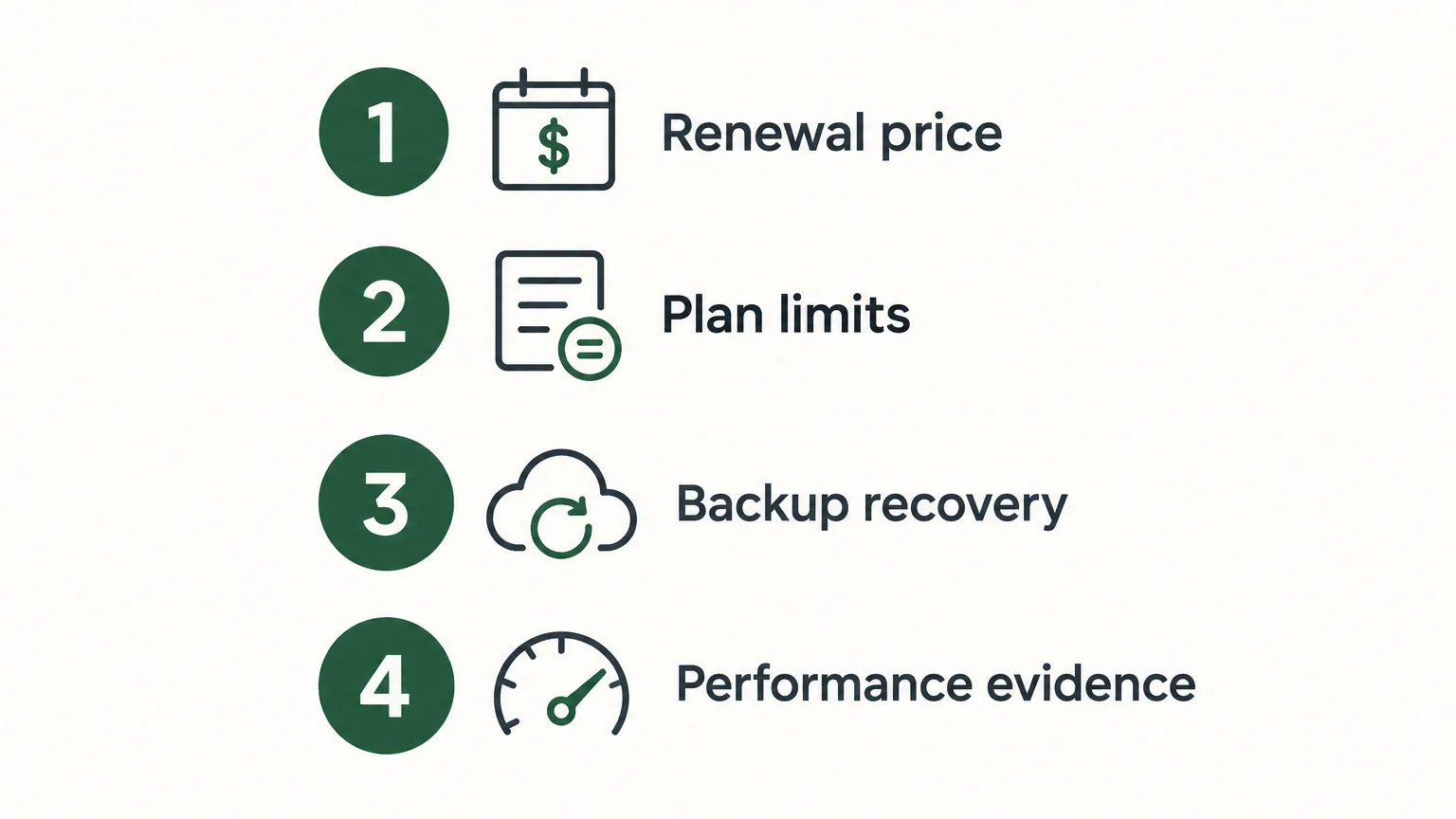
Before checkout, put the plan’s most important terms side by side. This keeps a low introductory rate from distracting you from limits that affect day-to-day work. Use the following checks to decide whether the plan fits your site today and after it grows:
- Renewal price: Confirm the amount after the introductory term and the length of that term.
- Plan limits: Check the permitted sites, storage, and resources for your workload.
- Backup recovery: Verify how often backups run and what restoration includes.
- Performance evidence: Look for test periods and methods, not just broad speed claims.
For a small site, a shared plan may be sufficient if its limits and renewal terms suit your budget. For a store or a site tied to business operations, give recovery procedures and support access more weight. Make the decision against your actual requirements, not a generic claim that one host suits every project.
Final verdict
GreenGeeks combines several hosting options with a clearly stated energy-matching commitment, but value depends on the renewal price and the plan’s actual limits. Independent monitoring in 2025 and 2026 found strong load-test results alongside multiple outages in one defined period. Treat those measurements as useful evidence, not a promise. GreenGeeks hosting fit comes down to whether its terms, support, and environmental approach match your site’s needs.
Frequently Asked Questions
Is GreenGeeks suitable for WordPress?
GreenGeeks offers WordPress hosting and tools for setting up a WordPress site. Check the selected plan’s website limits, resources, backups, and renewal price before choosing it.
Does GreenGeeks include a renewable-energy commitment?
GreenGeeks says it matches its energy use with renewable energy credits and supports tree planting for hosting accounts. This describes its stated environmental approach, not direct renewable power at the server hosting your site.
What should you check in GreenGeeks pricing?
Compare the introductory rate with the renewal price and note the initial billing term. Confirm the checkout total and any domain charges before purchasing.
Does GreenGeeks provide 24/7 support?
GreenGeeks advertises 24/7 expert support. Confirm which contact methods are available at all hours and whether any channel has separate operating hours.
Where can you compare GreenGeeks with other hosting choices?
Our hosting articles compare providers and practical selection criteria such as workload, billing cadence, and storage needs. Use those comparisons to identify questions, then verify current terms with each provider.