
Best WordPress Alternatives 2026: Webflow, Ghost, Framer & More
People type “WordPress alternatives” as if one product can replace WordPress. It cannot!
Many of us might be quite keen to know whether any new player has emerged that can truly be called a “WordPress alternative,” as if one product can replace WordPress.
WordPress is a box of parts. You add hosting, a theme, plugins, and someone to keep them updated. That is why it can become almost anything. It is also why a site can feel slow, fragile, or expensive to look after.
An “alternative” is usually a finished product that does one job well:
- Ghost if you write, send email, and charge readers.
- Shopify if you sell products.
- Wix if you want a full site this week and do not want to learn a CMS.
- Webflow if you need custom design and a real content system, without stacking page-builder plugins.
- Framer if the marketing page has to look and move like a product launch.
- Squarespace if you want a beautiful small-business site with hosting included.
- A headless setup (Astro plus a content tool) if you have developers and care most about speed and ownership.
None of these replace a plugin that exists only in the WordPress directory. If that plugin is the reason your site works, stay.
WordPress still runs a large share of the public web. As of September 2026, W3Techs puts WordPress near 40% of all websites (and close to 59% of sites with a known CMS). HTTP Archive counts origins a different way and lands lower, around 33%. Both numbers can be true. Neither one tells you what your site should run.
What usually brings people here is a bad week: plugins fighting each other, a page that fails Google’s speed checks after a builder add-on, a membership setup that needs four paid tools, or a store that has outgrown WooCommerce.
This guide names eight real options for the jobs people actually ship, then a wider field of twenty more names you will see on the same search — including Substack — with a plain reason each one stayed out of the first eight. It also says when WordPress is still the right call. Prices below are listed mid-to-late 2026 yearly rates from vendor pages (including Webflow’s May 2026 plan change). Check the live checkout before you pay. Plans move.
Start here
- Custom design plus a content system, without plugin patch days: Webflow.
- Writing, newsletters, and paid members in one place: Ghost.
- Fast marketing or SaaS page with motion: Framer.
- Pretty small-business site with almost no learning: Squarespace (or Wix if you want more switches).
- A real store: Shopify.
- Developers who want speed and to own the code: Astro plus a headless CMS.
- A custom content structure you host yourself: Craft CMS.
- Stay on WordPress.org when you need a specific plugin, full file ownership, or a team that already knows WordPress.
Listed 2026 prices · job first, not a trophy
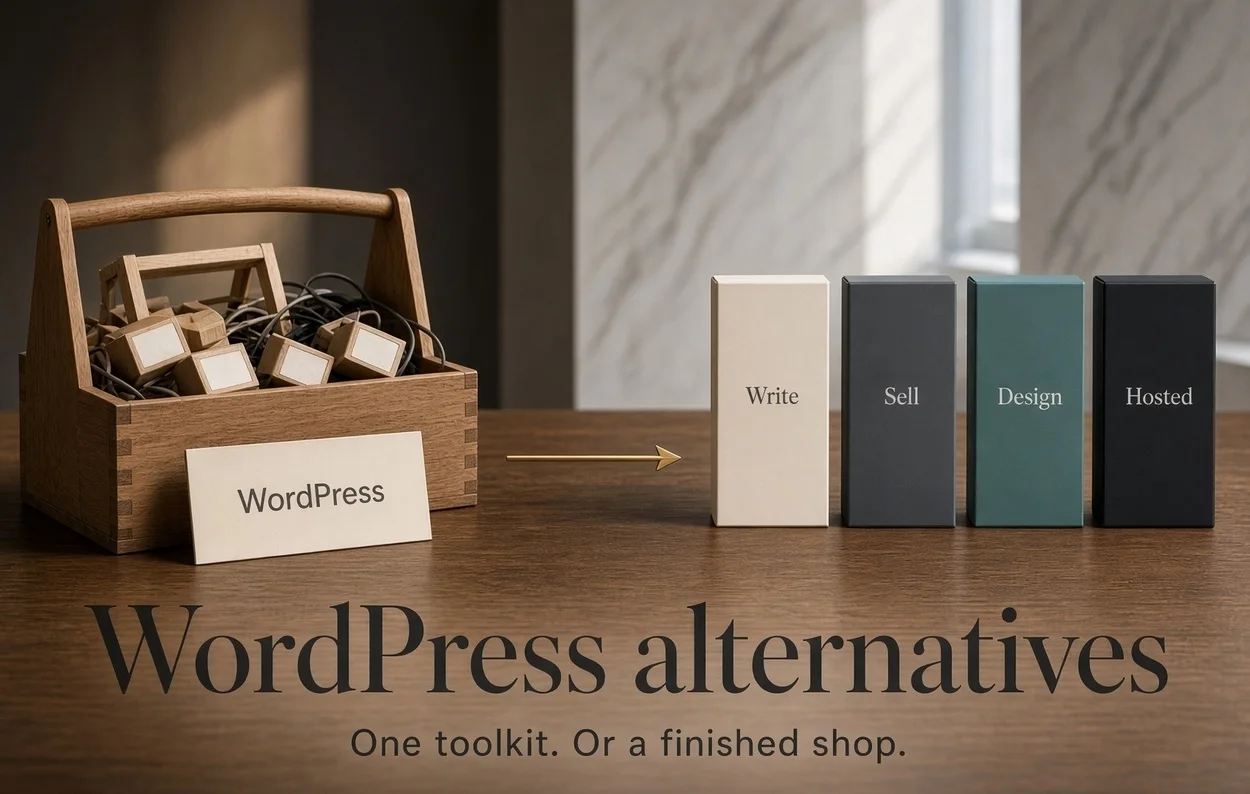
WordPress is a toolkit. Most alternatives are a finished shop.
Ghost replaces writing plus email. Shopify replaces the store. Wix replaces the weekend build. Stay when the plugin or the export is the product.
Design + CMS
Webflow
Visual layout, collections, no plugin Tuesdays. Learn the box model.
Open WebflowWrite + charge
Ghost
Native list, members, no platform cut on subs. Weak as a general brochure.
Open GhostMotion marketing
Framer
Canvas, AI first draft, fast publish. Seats add up. Thin as a big CMS.
Open FramerSmall creative firm
Squarespace
Templates, host, store in one login. Design stays behind when you leave.
Open SquarespaceSerious cart
Shopify
Checkout, tax, apps. A blog is not the reason to buy it.
Open ShopifyShip this week
Wix
Most buttons, Aria drafts a site. Plan to stay.
Open WixIf you have engineers
Listed 2026 annual rates from vendor pages. Workspace seats, transaction fees, and apps sit on top. Confirm the live checkout.
When WordPress is still the better choice
Read this before you migrate.
Stay on WordPress if any of these are true:
- You depend on a plugin or WooCommerce add-on that has no equal elsewhere.
- You must own the files and the database, and be able to change hosts next month. If you are mixing up WordPress.com and WordPress.org, start with our WordPress.com vs WordPress.org guide. This truly works wonder, when you are a technical novide or a beginner or want to focus mainly on contetn rather than managing the site, as you can truly depend of them for majority of technical issues.
- Someone on your side will update plugins and test changes on a staging copy.
- The site is a mix of tools — courses, CRM, members, several languages, a custom checkout — and you are not paying an agency to rebuild all of that in Webflow.
WordPress the software is free. A calm live site is not. You still pay for hosting, often a theme, often SEO / security / backup plugins, and someone’s time.
That is why a $25-a-month Webflow plan can cost less in year one than a “free” CMS. It is also why a well-kept WordPress site on decent hosting still beats a locked builder when you need to leave.
The one idea to keep
WordPress is a toolkit. You choose each part. You also choose the problems.
Most alternatives are a finished shop. Hosting, SSL, templates, and support sit in one bill. You give up some ability to export. You give up odd plugins. You sleep more.
Headless is a third shape. Content lives in one tool (Sanity, Strapi, Payload, or even WordPress used only as an API). The public site is built separately, often with Astro or Next.js. Fast. You own it. It is not a weekend project.
If you only compare the monthly price, the toolkit always looks cheaper. Add plugin licenses and a few developer hours, and the finished shop often wins. Add “we might leave in 18 months,” and the toolkit wins again.
Who this page helps
- A writer tired of connecting a membership plugin to an email tool.
- An agency that wants to hand over a marketing site, not a pile of plugins.
- A shop that has outgrown “WooCommerce and hope.”
- A designer who thinks in Figma and does not want Elementor.
- A team with engineers who will own a code-based site.
- A small firm that needs a grown-up site by Friday and will accept being tied to one company for that speed.
If you only needed a new WordPress theme, this is the wrong page. Use the theme guides already on DiscoverVibe.
WordPress Alternatives: Eight options, one job each
#1. Webflow — design you can still publish
Webflow is a visual builder with a real content system. You draw the layout. It writes the HTML and CSS. You are not stacking page-builder widgets on a PHP theme.
In May 2026 Webflow simplified older plan names. Treat Premium at $25 a month billed yearly ($39 if you pay month to month) as the plan that includes the CMS. Basic at $15 yearly is for static pages. Online stores sit on a separate ladder (Standard about $29 yearly with a transaction fee; Plus about $74 yearly with 0% platform fee on that sheet). Extra people on the account need a Workspace plan (Core about $19 yearly).
Choose Webflow when an agency or marketing team needs tight design control, structured content, and no weekly plugin updates.
Skip Webflow when you need a Shopify-level checkout, you will not learn basic layout (the “box model”), or you must take a portable theme folder with you when you leave.
#2. Ghost — if the email list is the business
Ghost is built for publishing. Newsletters and paid members are part of the product, not extra plugins. You can self-host the software for $0, or use Ghost’s hosted plans.
Listed Ghost(Pro) prices: Starter about $18 a month yearly, Publisher about $29, Business about $199. Starter is tight on staff seats and paid subscriptions. Publisher is the usual plan if you charge readers. Ghost does not take a cut of those subscriptions.
Choose Ghost when you write, email, and charge. You are replacing WordPress plus a membership plugin plus an email tool.
Skip Ghost when you need a 20-page company site, a physical product store, or a designer’s playground.
#3. Framer — when the page has to move
Framer is a design canvas that publishes to the web. Designers who already use Figma pick it up quickly. Its AI tools can draft a first layout. It is not a large editorial CMS.
Listed prices: Basic about $10 a month on yearly billing, Pro about $30, Scale $100. Extra editor seats are about $20 each. That line still surprises people on the invoice.
Choose Framer when the site is a launch, a SaaS marketing page, or a portfolio that must feel expensive.
Skip Framer when you will publish hundreds of posts, run a real product catalog, or hire many cheap editors.
#4. Squarespace — pretty, hosted, finished
Squarespace sells templates, hosting, and a store in one login. Yearly plans commonly start in the mid-teens for Basic and the low-to-mid $20s for Core; Plus and Advanced sit higher. Monthly billing costs more. There is no free plan. There is a 14-day trial. Store transaction fees drop as you move up. Card processing fees still sit on top. Confirm the live ladder — Squarespace changes the displayed number with region and billing toggle.
Choose Squarespace when a photographer, restaurant, or small firm wants a grown-up site this month.
Skip Squarespace when you need a custom app, a huge catalog, or a clean export of the design.
#5. Shopify — when the cart is the product
Shopify is not a blog that added a cart. It is a cart that added a blog. Official US prices checked September 2026: Starter about $5; Basic about $29 a month billed yearly or $39 month to month; Grow and Advanced cost more; Plus is enterprise money. Card rates, apps, and a platform fee if you skip Shopify Payments matter more than the headline price.
Choose Shopify when revenue depends on checkout, tax, inventory, and commerce apps.
Skip Shopify when you mainly needed a magazine that also sells a mug.
#6. Wix — the most buttons
Wix will build a site from a short description and host it. Its Aria assistant sits on the account. Yearly Light about $17, Core about $29, Business about $39, Business Elite about $159. The free tier keeps Wix ads and a Wix web address.
Choose Wix when a non-technical owner must launch without a designer and does not plan to move for years.
Skip Wix when leaving later matters. Export is the weak part of the story.
#7. Astro plus a headless CMS — speed you build
Astro sends mostly plain HTML to the browser. Pair it with a content tool such as Sanity, Strapi, or Payload — or use WordPress only as a content API. You own the code. A host such as Vercel or Netlify can serve the public pages. The content tool is a separate bill (Sanity’s free tier works for small teams; Contentful’s Team plan gets expensive).
Industry speed reports often give well-built static and headless sites the best Core Web Vitals pass rates. That is the architecture, not magic. You still need a developer.
Choose this when performance and ownership matter more than a visual editor.
Skip this when nobody on the team will touch a code repository.
#8. Craft CMS — custom content without a plugin aisle
Craft is a CMS you host yourself. Teams use it when the content shape is unusual and they want a calm admin screen. Solo is free for a one-person site. Team and Pro are paid licenses. You still pay for hosting and a developer. Open craftcms.com/pricing before you quote a client.
Choose Craft when the content model is odd and you refuse both WordPress plugins and a closed builder.
Skip Craft when you needed a template and a credit card.
Side-by-side
| What you need | First pick | Listed yearly start (2026) | What you give up |
|---|---|---|---|
| Custom design + CMS | Webflow Premium | $25/mo + workspace for a team | Easy theme export |
| Writing + paid email list | Ghost Publisher | $29/mo hosted | A general company site |
| Motion-heavy marketing page | Framer Basic / Pro | $10–$30/mo + editor seats | A deep blog CMS |
| Small creative business | Squarespace Core | Confirm live yearly price | Deep customization |
| Real store | Shopify Basic | $29/mo yearly ($39 monthly) + apps + card rates | A great magazine |
| Fastest beginner launch | Wix Light / Core | $17–$29/mo | An easy exit later |
| Maximum speed + ownership | Astro + Sanity or Strapi | Tools near $0 + people | A visual editor weekend |
| Custom self-hosted CMS | Craft | License + hosting | A huge plugin catalog |
| Odd integrations | WordPress.org | Host + plugins + time | Quiet update days |
About speed scores. Industry snapshots of live sites in 2026 put WordPress sites, as a group, near the bottom of major CMS pass rates for Google’s Core Web Vitals. One widely quoted mobile figure is about 38%. Hosted builders in the same reports sit higher — Webflow in the mid-50s, Wix and Squarespace nearby, Shopify in the high-50s.
Treat those as averages of real sites, not a lab score for a clean install. A simple WordPress theme on good hosting can pass. A site with 40 plugins and a heavy page builder often fails. “WordPress is slow” usually means “this stack is slow.”
Year-one cost, not the monthly headline
WordPress.org path (small business, honest range): decent hosting $180–$1,200 a year; theme $0–$100; SEO, security, backup, and forms $0–$500; someone to update and fix things $0–$1,500. Many real sites land between $500 and $2,500 in year one. A $60 host with five builders looks cheaper until something breaks.
Hosted builder path: Webflow Premium about $300 a year, plus a workspace fee if a team logs in. Ghost Publisher about $348. Squarespace Core often lands in the mid-$200s to mid-$300s depending on the live yearly rate. Framer Pro about $360 plus seats. Shopify Basic about $348 a year on yearly billing before apps.
The builder wins when it removes plugin licenses and late-night updates. WordPress wins when you already have the stack and the person.
Headless looks free on the Astro line. Count the build. A first marketing site in code is often weeks, not an afternoon.
Who owns your content if you leave
| Platform | Can you take content? | Can you take the design / code? | Plain reading |
|---|---|---|---|
| WordPress.org | Yes (export + database) | Yes | You can change hosts this week |
| Ghost | Yes | Themes + self-host | Strong exit |
| Craft / Astro stack | Yes | Yes | You already own the repo |
| Webflow | Partial (CMS / code export) | Export exists; you will rebuild | Partial |
| Shopify | CSV and apps | Theme code stays behind | Data moves; the storefront is a project |
| Squarespace | Limited | No | Hard |
| Framer | Limited | No real theme file | Hard |
| Wix | Weak | No | Plan to stay |
If “we might leave” is on the board, prefer Ghost, Craft, a headless repo, or WordPress over Wix and Framer.
Moving without losing search traffic
Blog posts, images, titles, and categories often move. Page layouts do not. Forms do not. WooCommerce product variants need a proper importer. Members and paywalls need a plan.
Do these five things or do not migrate:
- List every public URL.
- Map each old URL to a new one.
- Add 301 redirects for the whole map.
- Move titles and descriptions.
- Watch Google Search Console for four to eight weeks.
Expect a dip. A complete redirect list is the difference between a dip and a hole. If the site already ranks for money terms, budget a specialist. Doing it yourself is fine for a 20-page brochure.
How to pick without guessing
- Write the job on paper: write and charge, sell products, design a marketing site, launch this week, or own the code.
- Name the thing you refuse to give up: a plugin, a portable database, a visual editor, or a calm Tuesday.
- Open the license and the export page for the product that matches that job.
- Price yearly and monthly as two different products. Add seats, apps, and card rates.
- Confirm the live checkout the day you buy. Geo-pricing and tax will not match this article.
Why Substack is not in the first eight
Substack was on the research list. It did not make the shortlist because it is not a WordPress replacement. It is a writer network with email and paid subscriptions built in.
That is a good product for a specific job. It is a weak product if you needed a company site, a store, a custom theme, or a portable database.
What Substack does well
- You can publish today with no hosting, no plugins, and no developer.
- Readers already browse Substack. New writers borrow that discovery.
- Paid subscriptions are native. There is no membership plugin to glue on.
- Notes, recommendations, and the app keep readers inside one feed.
What you give up
- Substack takes about 10% of paid subscription revenue, plus normal card fees. Ghost and beehiiv charge a flat plan and take 0% of those subscriptions. The 10% looks cheap when you have twelve paying readers. It is expensive when the list is the business.
- The site is a publication, not a toolkit. Service pages, a real store, and odd integrations do not live here.
- Design control is limited. You are on Substack’s chassis.
- Leaving is possible for posts and subscribers, but you leave the network effect behind. That is the trade: they help you get found; they keep a cut and the neighborhood.
Pick Substack when you are a writer who needs readers more than a custom website, and you are fine paying a share of paid revenue for that neighborhood.
Skip Substack when you already have an audience, you want 0% platform cut, you need a real site around the newsletter, or you must own the software. That is Ghost (site + email + members, 0% cut) or beehiiv (newsletter growth tools, also 0% cut, weaker as a full site).
Official page: substack.com
The next twenty names — kept in, scored by job
The first eight are not “the only tools that exist.” They are the tools that match a WordPress-shaped job: a full site, a store, a design CMS, or a stack you own.
Everything below showed up in the same research pass and on the same search results. Each row says what it is good at, why a careful buyer still looks at it, and why it stayed out of the hero. No /100 scores. If two products do the same job, the first eight already named the default.
The next twenty names — kept in, scored by job
The first eight match a WordPress-shaped job. These twenty showed up in the same research pass. Each row is the job, why a careful buyer still looks, and why it stayed out of the hero. No scores.
| Name | What it actually is | Good for | Why it stays useful | Why it is not in the first eight |
|---|---|---|---|---|
| Substack | Writer network + email + paid subs | Writers who need discovery | Fast start, native paid list, readers already there | About 10% cut. Not a company site or a store |
| beehiiv | Newsletter platform with growth tools | Newsletter as the product | Flat fee, 0% cut, referrals and ads | A list tool, not a visual CMS |
| Medium | Publishing network | Drafts and borrowed traffic | Zero setup | You do not own the neighborhood or the design |
| WordPress.com | Hosted WordPress | WordPress without a server | Familiar admin, plans from free | Still WordPress. Plugins gated on paid plans |
| 10Web | Managed WordPress + AI builder | WordPress with a nanny | Hosting and AI on top of WordPress | Still WordPress. Plugin fights can remain |
| Durable | AI site in about a minute | A placeholder this afternoon | Speed | Thin brand, thin CMS, not a long-term site |
| Dorik | No-code builder + lifetime deal | Cheap or pay-once sites; light white-label | Lifetime price, AI draft, some code export | Same job as Wix at a smaller scale |
| Carrd | One-page builder | Link-in-bio, simple profile | Cheap, fast, honest limit | One page. Not a CMS |
| Hostinger Website Builder | Cheap hosted builder | Tight budget, simple brochure | Low intro price | Intro is not renewal. Ownership is partial |
| Google Sites | Free Google brochure | Internal pages, school projects | Free, simple | Weak public SEO and design |
| Duda | White-label builder for agencies | Many small client sites | Client billing, templates, team seats | Fleet tool, not one flagship custom site |
| HubSpot Content Hub | CMS tied to HubSpot CRM | Teams already paying for HubSpot | Forms, CRM, and pages in one login | Serious plans get expensive |
| BigCommerce | Hosted commerce platform | Catalogs that outgrew a simple cart | Real merchandising tools | A store platform. Shopify already covers that job |
| Kajabi / Podia | Course and creator shops | Courses and memberships | Checkout + content in one product | Not a general WordPress replacement |
| Joomla | Open-source CMS | Access control, multi-language | No license fee, real CMS | Harder to learn. Smaller talent pool |
| Drupal | Open-source CMS for large structured sites | Government, universities, large IA | Strong permissions and content model | Needs specialists. Overkill for a 20-page firm |
| Builder.io | Visual editor on a headless front end | Marketers editing Next.js pages | Visual edits without a page-builder plugin | Needs a developer setup |
| Storyblok | Headless CMS with a visual editor | API content plus preview | Visual editing on a headless model | You still build the front end |
| Sanity / Strapi / Contentful | Headless content tools | Content as data for any front end | Clean APIs, structured content | Not websites by themselves |
| Hugo / Eleventy | Static site generators | Docs, blogs, marketing sites in code | Very fast HTML, no PHP runtime | No visual CMS. Developers only |
How to read that table. If the “good for” line is your whole business, open that product. If you also need a theme store, a 4K b-roll pack, a plugin directory, or a portable database, you are back on the first eight — or on WordPress.org.
A few names that appear in “30 CMS” dumps and still do not earn a row:
- Weebly and most registrar builders (same job as Wix, weaker brand)
- TYPO3 / Contao / Apostrophe / Keystone (real tools, tiny public talent pool for this audience)
- Bubble (apps, not sites)
- Linktree (a link list).
If a vendor is WordPress under the hood, it is not an alternative.
Also-rans in one sentence each
Use this if you do not want the grid.
- Substack — borrow a reader network; pay 10% when they pay you.
- beehiiv — grow a newsletter without a revenue share; bring your own site if you need one.
- WordPress.com — WordPress with the server included; plugins unlock on paid plans.
- 10Web — WordPress with AI and managed hosting. Still WordPress.
- Durable / Carrd / Google Sites — ship something small today. Do not pretend they are a CMS.
- HubSpot Content Hub — buy it for the CRM, not as a cheaper WordPress.
- Joomla / Drupal — open source, heavier learning, fewer specialists.
- Builder.io / Storyblok / Sanity / Strapi — headless pieces. They need a front end.
- Hugo / Eleventy — static files. They need a developer.
AI, speed, and security — without the slogans
AI site builders (Framer, Wix Aria, Shopify Sidekick, Webflow helpers) can draft a first page. They will not write your returns policy, your redirects, or your brand voice. Treat them like a junior designer. Check the HTML they leave behind.
Speed is mostly how the site is built. Plain HTML at the edge wins more Core Web Vitals checks than PHP plus forty plugins. That is why hosted builders and Astro stacks look good in group reports. It is also why a simple block theme on decent hosting can look fine.
Security is about surface area. A closed builder patches itself. You patch WordPress plugins. A static public site has little to attack on the web server — you still lock down the content tool and keep backups.
How these facts were chosen
Jobs and listed prices for the first eight come from vendor pricing pages checked through September 2026, including Webflow’s May 2026 plan notes. The wider field (Substack, beehiiv, WordPress.com, 10Web, Joomla, Drupal, HubSpot, headless tools, static generators) was checked the same way: official product pages plus what job each tool actually sells. Market share: W3Techs and HTTP Archive use different methods, so both ranges are named. Speed pass rates come from published group snapshots of live sites, not a DiscoverVibe crawl of 30 homepages. This page did not run a week of private lab tests and invent a trophy. Names dropped from the hero are still in the field table so a missing logo is not a silent skip.
What to do next
Pick the job, then the product.
- Ghost if the email list is the business.
- Shopify if the cart is the business.
- Webflow if design plus a CMS is the brief.
- Framer if the first impression is the product.
- Squarespace or Wix if you need a grown-up site before you learn a CMS.
- Astro or Craft if you have builders and want the keys.
- WordPress if the plugin catalog is why you searched.
Do not move a ranking site just to escape one plugin. Fix the plugin, or change hosting first. If the real question was money, not platform, read WordPress website cost in 2026.
Frequently asked questions
What is the best WordPress alternative in 2026?
There is no single best. Ghost for writers who charge. Webflow for design plus a CMS. Shopify for a real store. Squarespace or Wix for a small firm that wants one login. Stay on WordPress when a plugin or full ownership is the point.
What is the best WordPress alternative for a small business?
Squarespace Core or Wix Core if you want templates and hosting in one bill. Shopify if you sell. Ghost if you publish. Webflow if you will learn the designer.
Is Webflow better than WordPress?
Better at visual control and at skipping plugin update days. Worse at odd integrations and at leaving with a portable theme. Group speed averages favor cleaner hosted output. A lean WordPress stack can still pass.
Can I migrate and keep my Google rankings?
You can keep most of them if every old URL redirects, titles move, and the new pages are as good. Expect a dip for a month or two. Layouts always have to be rebuilt.
What is the cheapest serious alternative?
Framer Basic at about $10 a month on yearly billing is a cheap published site. Self-hosted Ghost is free software plus a server. Cheap to start is not the same as cheap to leave.
Is Ghost good for a normal company website?
Only if the company is mostly a publication. Service pages and stores belong on something else.
Should I use a headless CMS instead of WordPress?
Yes if you have developers and speed is a requirement. No if you needed a template on Thursday.
When does WordPress still win?
When the plugin, the data, the team, or the unusual workflow is the asset. Pay for hosting and care — or the “free CMS” becomes the expensive one.
Is Substack a WordPress alternative?
Only if the job is “write, email, and charge” and you want Substack’s reader network more than a custom site. It takes about 10% of paid subscriptions. Ghost covers the same writing job with 0% cut and a real site you can self-host. Substack is not a store, a company brochure, or a plugin platform.
Why are beehiiv, Drupal, and HubSpot not in the top eight?
They are real products for narrower jobs. beehiiv is a newsletter stack. Drupal is a specialist CMS. HubSpot’s CMS is priced and shaped around the CRM. The first eight already cover writing, design, stores, beginners, and owned code. The field table is the rest of the map.
Prices are listed 2026 figures and can change. If you buy through a link on this page we may earn a commission. You pay the same price on the official checkout.


