Sensitive Use of Stock Photos: The 2026 Buyer’s Guide
The model release cleared the face. It never cleared the story. You licensed a smiling portrait. Now the layout wants to say this person was sick, took medication, found love on a dating app, or backs a candidate. That is sensitive use of stock photos, and it sits outside every standard license.
A model release is the signed form that lets a photo of a person appear in ordinary commercial work — ads, websites, and packaging. It does not mean the person agreed to be shown as sick, as supporting a political party, or as part of a recovery story.
This guide shows the restricted list in plain language, why a model release never unlocks it, the one exemption most buyers miss, and the real options when your campaign still needs a sensitive context.
Quick Answer
Sensitive use means your design implies something about the person: illness, endorsement, sexuality, addiction, or crime. No standard license covers it, and no model release lifts it. Your options are images without recognizable faces, a custom license in writing, or your own shoot that names the use.
The 60-second sensitive-use check
No → ordinary license rules apply; the sensitive-use fence is mostly behind you.
Yes → sensitive use; no standard license covers it.
Yes → redesign around the exemption.
Custom license in writing, or commission the shoot with the use named in the release.
What sensitive use means in stock licensing
Sensitive use is the point where an image stops showing a person and starts claiming something about them.
That they are ill.
That they endorse a party.
That they use a dating service.
That they recovered from an addiction.
Shutterstock’s license sets the bar clearly: you may not portray a person “in a way that a reasonable person would find offensive.” The test is not whether the photo was staged. It is whether the layout implies a life the model never agreed to.
That is why sensitive use is not a pricing tier. Standard, Enhanced, and Extended licenses all stop at the same fence.
The restricted list every standard license carries
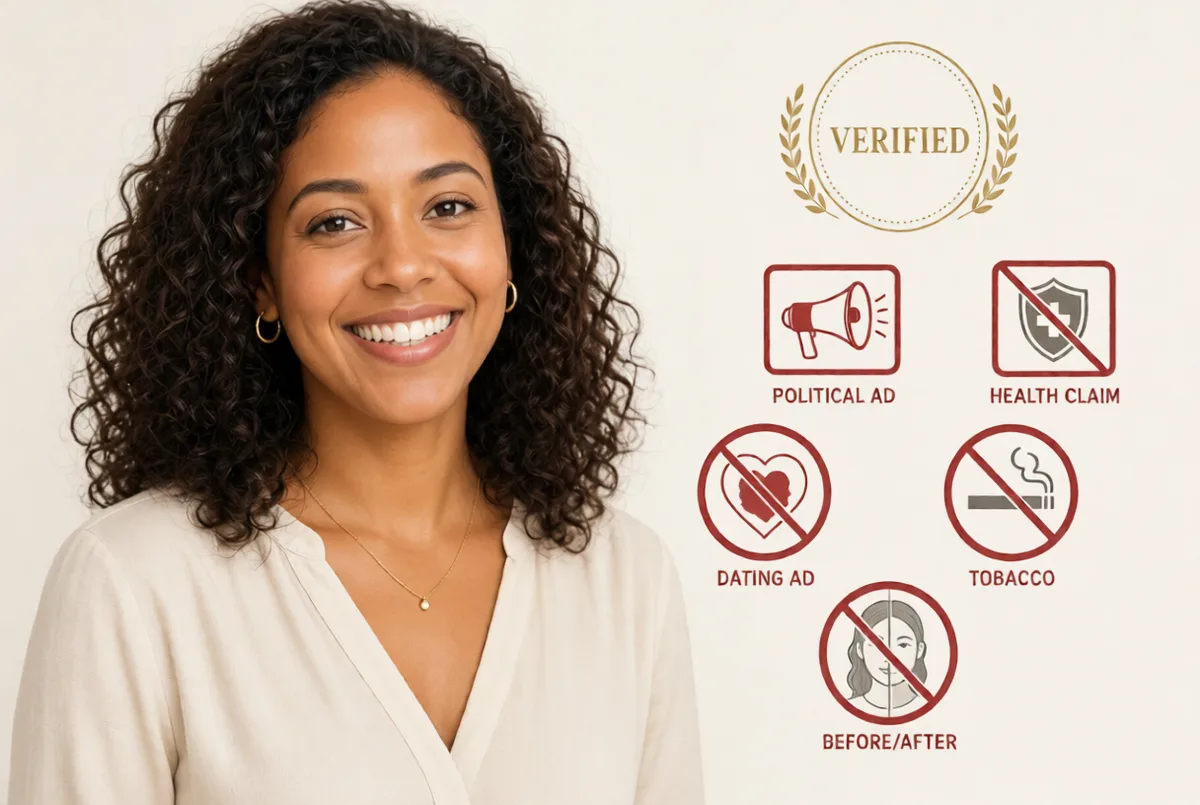
Five families show up on almost every major license. Shutterstock names them directly:
- Adult and dating contexts. No depicting a model in connection with pornography, adult entertainment, escort services, dating services, or the like.
- Tobacco. No advertisement or promotion of tobacco products.
- Political contexts. No use in a political context — any party, candidate, elected official, or any political policy or viewpoint.
- Health and medication. No depicting a model as suffering from, or medicating for, a physical or mental ailment.
- Crime and immorality. No depicting a model engaging in immoral or criminal activities.
Shutterstock’s sensitive-subjects help page adds the practical line most buyers miss: no implying that a model is sick or took medication, and no implying a model is a criminal or suffers from a physical or mental infirmity.
Adobe draws the same fence: tobacco ads, adult entertainment, implied political endorsements, and implying mental or physical impairment.
One rule that stays the same across this cluster: Enhanced and Extended licenses raise copy counts and open merchandise. They never lift sensitive use.
Most other major libraries follow a similar pattern. Always check the license of the specific file you download. Getty and iStock terms were not fully accessible for verification at the time of writing.
Why a model release never unlocks sensitive use
A model release is an agreement that protects the creator, the model, and the customer for ordinary commercial use. Shutterstock’s publishing standards define it as an agreement that provides legal protections to content creators, models, and customers who license the content. The model agreed to appear in ads, websites, and packaging. They did not agree to star in a health claim, endorse a party, or personify a recovery story.
This is the hardest rule on the site: a model release is necessary, not sufficient. It clears the face for the market. It does not clear the message in the layout.
The full details of what a release does and does not cover live in our model releases guide.
The exemption most buyers miss: no face, less risk
Here is the practical way out, and it is official.
Shutterstock’s sensitive-subjects help page ends its restricted list with one sentence most people never read: “However, you may use images that do not depict a recognizable person.”
No clear face means no implied claim about a person. That changes sensitive projects quickly:
- Health pages: hands on a pill bottle, an empty waiting chair, a stethoscope on a desk.
- Therapist sites: the doorway, the notebook, the two chairs — not a face that looks like a patient.
- Finance and legal: objects, buildings, documents.
- Before-and-after: if no person appears in either frame, there is no person to defame.
The face is where the risk lives. When the face is gone, the sensitive-use fence mostly disappears. You are left with the ordinary rules: no pornographic, defamatory, or deceptive context, and no trademark problems.
Before-and-after, health, and wellness pages
This is the lane where most problems start.
A before-and-after layout says the person in the “after” frame had the condition shown in the “before” frame. No stock model signed up for that. It does not matter that both photos were properly licensed or that the copy says “results vary.” The layout itself implies a health journey the model never agreed to.
Shutterstock’s terms name the exact shape: depicting a model as suffering from, or medicating for, a physical or mental ailment.
The same logic covers clinic pages, therapy sites, medication explainers, and fitness transformations. If the design’s argument is “this happened to this person,” the use is sensitive.
What actually clears it:
- No-person imagery. The exemption above. The most underused tool on this list.
- A custom license. Some agencies negotiate sensitive-use clearance for enterprise buyers, including pharma. It is a conversation, not a checkout button.
- Your own shoot. Commission the photo and write the sensitive use into the release itself. A signed release that names the health claim is the only paper built for this.
Politics, advocacy, and nonprofits
Read the political clause carefully. Shutterstock bans use in a political context — any party, candidate, or elected official, or in connection with any political policy or viewpoint.
That last phrase is wide. It does not stop at campaign ads. An advocacy campaign, a policy explainer with a persuasive angle, and a “get out the vote” graphic all sit inside it.
Nonprofits do not get a free pass. The fence is about the person in the photo, not how good the cause is. A donation page with a released face is still an implied endorsement the model never signed.
For genuine news reporting on a political event, the rules change. That is the editorial lane. Our editorial vs commercial guide covers it.
Dating, adult, and similar categories
Shutterstock’s named bans are clear: adult entertainment venues, escort services, and dating services — or the like.
That last phrase matters. The vendor means the family of uses, not only the exact words. A dating app landing page, a swipe-culture explainer with a promotional button, or a “meet singles” banner all read as dating-service promotion.
Adobe and Shutterstock agree on the same three categories: adult, tobacco, and political. When both major libraries fence them, treat them as fenced everywhere.
Does any license unlock sensitive use?
Not by upgrade. Standard, Enhanced, and Extended tiers stop at the same use fence. Paying for more copies never buys a new context.
The real options, in the order that works best for most people:
- Redesign around the exemption. No recognizable person, no sensitive claim. Fastest and cheapest fix in most campaigns.
- Ask about custom sensitive-use licensing. Some agencies can clear specific uses for specific files. Ask before you license, get the answer in writing, and keep it with the asset ID.
- Commission the shoot. A production where the release names the intended sensitive use is the clean instrument. More work, zero ambiguity.
There is no self-serve button for this on any major platform we checked. If a checkout page suggests otherwise, read the license text behind it.
The disclaimer habit: what careful buyers do
Look at health and finance ads and you will often see small print under the faces: “Person depicted is a model. For illustrative purposes only.”
Careful buyers do this, and it is good hygiene. But be clear about what it is. It is a convention, not a license term. No vendor page we verified requires it, and a disclaimer does not rewrite the license.
What actually clears a sensitive use is the vendor’s written permission or a release that names the use. A disclaimer without one of those behind it does not fix the problem.
Does an AI-generated face dodge the fence?
No, for two separate reasons.
First, the use restrictions are not about who signed. Shutterstock’s license bans pornographic, defamatory, and deceptive contexts for all visual content, generated or photographed. The fence follows the license you bought, not the face’s origin.
Second, generated faces can carry their own release problem. Adobe’s generative-AI rules require a model release when a generated file depicts, is based on, or portrays an identifiable person. A fictional-looking human needs the “People and Property are fictional” declaration. That is a statement to Adobe, not a signature from a face.
We cover the release side in the model releases guide. The generator-by-generator comparison lives on our AI generators page.
The 60-second sensitive-use check
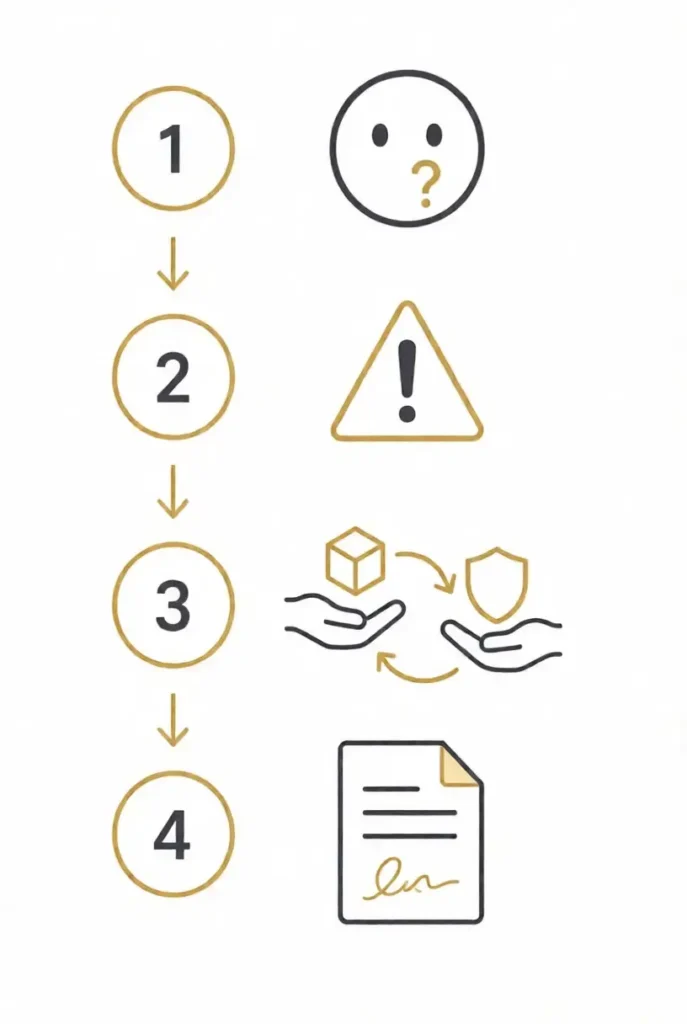
Before you license a photo of a person, run these four questions.
- Does the image show a recognizable person?
If no, ordinary license rules apply. The sensitive-use fence is mostly behind you. - Does your layout imply something about that person?
Illness, endorsement, sexuality, addiction, or crime. If yes, this is sensitive use. No standard license covers it. - Can the design work without the face?
If yes, redesign around the exemption. Use hands, objects, or settings instead. - If you still need the face for a sensitive claim:
Get a custom license in writing, or commission your own shoot with the sensitive use named in the model release.
This takes less than a minute and stops most problems before they start.
Common questions about sensitive use of stock photos
Can I use stock photos on a healthcare landing page? Yes, with care. A recognizable face beside copy that implies the person is ill, treated, or medicated is sensitive use. Use no-person imagery — hands, objects, settings — or a custom license, and the page works.
Can a therapist or counselor use stock photos of people? Often the wrong tool. A photo that reads as “this person is my client” implies a mental-health context. The safer picks are the doorway, the chairs, the notebook, the hands. Faces in a therapy context are exactly what the restrictions describe.
Can I use stock photos in political ads? No. Shutterstock’s license bans any political context, including viewpoints and policy advocacy, not just candidates. Adobe bans implied political endorsements. Political creative needs commissioned photography with the use in the release.
Is there a license I can buy for sensitive use? Not off the shelf. No standard, enhanced, or extended tier lifts the fence. Some agencies clear specific sensitive uses for enterprise buyers. It is a negotiation, not a checkout. Ask in writing before you license.
Can I use before-and-after stock photos for a transformation claim? No. The layout states the person had the condition, which no stock model agreed to. If no person appears in either frame, the claim problem shrinks to ordinary advertising rules.
Does a “person depicted is a model” disclaimer fix it? It is good practice and common in health and finance advertising, but it is a convention, not a license term. A disclaimer does not rewrite the license. Written vendor permission or a release naming the use is what clears it.
Do sensitive-use rules apply to AI-generated stock faces? Yes. The use restrictions follow the license, whatever the face’s origin. Under Adobe’s generative-AI rules, a generated file portraying an identifiable person still needs a release.
What images are safe for sensitive topics? Images that depict no recognizable person. Shutterstock’s own sensitive-subjects page states it: “you may use images that do not depict a recognizable person.” Objects, hands, silhouettes, and settings carry the message without the claim.
The bottom line
Sensitive use is about claims, not photos. If your layout says something happened to the person in the frame, no standard license covers it and no tier upgrade fixes it.
Redesign around the face, clear it in writing, or shoot it yourself with the use named. The model release clears the face. Only the right paper clears the story.
Policies in this guide were verified on the vendors’ own license and help pages in October 2026. We re-check every quarter — the next scheduled pass is January 2027. This is general information, not legal advice. The license on your download outranks this page.
Next steps: Read what a model release actually covers in our model releases guide, see how the editorial lane handles newsworthy content in our editorial vs commercial guide, or compare every license model across the major platforms in our stock photo licenses guide.
Browse people photos (and check the badge before you buy):
People photos on Shutterstock · People photos on Adobe Stock
Schema (BreadcrumbList only):
<script type="application/ld+json">
{
  "@context": "https://schema.org",
  "@type": "BreadcrumbList",
  "itemListElement": [
    { "@type": "ListItem", "position": 1, "name": "Home", "item": "https://discovervibe.blog/" },
    { "@type": "ListItem", "position": 2, "name": "Stock Photo Licenses", "item": "https://discovervibe.blog/stock-photo-licenses/" },
    { "@type": "ListItem", "position": 3, "name": "Sensitive Use of Stock Photos" }
  ]
}
</script>